by Patrix | Jun 2, 2025
What happens when the design visionary behind the iPhone teams up with the most forward-facing leader in artificial intelligence? You get a project that may very well rewrite how we relate to our devices—and perhaps even reimagine what a “device” is.
OpenAI’s CEO Sam Altman and former Apple chief design officer Jony Ive have quietly been working on a new kind of AI gadget, and while the details are still under wraps, what’s emerging is nothing short of a tectonic shift in how we interact with computing. Their goal? A screenless, intuitive AI companion that could make today’s smartphones feel like relics.
The Birth of a New Category
Unlike smartphones, tablets, or even smartwatches, this new device aims to be something altogether different: a context-aware, voice-first AI assistant that requires no screen and minimal input. It won’t replace your laptop or phone but instead slip into the space between them—a quiet, ever-present companion. Think of it as a kind of AI whisperer, always listening, always ready, but never in your face.
According to leaks and reports from The Verge and AppleInsider, this project is not just a moonshot—it’s already backed by billions. OpenAI acquired Ive’s hardware startup, “io,” with funding reportedly in the range of $6.5 billion. That’s a serious commitment to a future where ambient, AI-first computing is the norm.
What Might It Look Like?
While we don’t have official images, concept renderings suggest a device about the size of an iPod Shuffle, perhaps worn around the neck or clipped to clothing. Others imagine a disc-shaped object sitting quietly on a desk, always listening, always ready. Some even speculate a pendant-style form factor—minimalist, tactile, and elegant. You won’t be scrolling through it. You’ll be talking to it.
Designer Ben Geskin shared speculative visuals on X (formerly Twitter) that highlight the possibilities: sleek aluminum bodies, subtle LED indicators, a wearable loop. What’s clear is that the device is meant to be as invisible as possible. Its intelligence will come not from what it shows, but from what it understands—about you, your surroundings, and your needs in real time.
Back to the Future of Interaction
Jony Ive and Sam Altman are both well known for questioning the status quo. Ive has often spoken about the “tyranny of the screen” and the addictive behaviors modern smartphones encourage. Altman, meanwhile, has spent years envisioning what it means for artificial intelligence to become not just a tool, but a partner. Their collaboration is about creating a new kind of interface—one where the user is liberated from the glass rectangle.
It’s also a rebuttal to the current trend of “bigger and better” displays. In their eyes, the next wave of progress means fewer buttons, fewer distractions, and more ambient intelligence. AI that works in the background, not on your retina.
The Shrinking of the Interface
This device is part of a much larger trend: the miniaturization of intelligence. As chips get smaller, sensors more sophisticated, and AI models more efficient, the idea of the “device” begins to blur. Today, we carry smartphones. Tomorrow, we might wear pendants. And soon after, we may simply embed the intelligence into ourselves—glasses, earbuds, even neural implants.
We’re moving down a trajectory where AI assistants might ultimately vanish from view altogether. Today’s iPhone was yesterday’s iMac, and tomorrow’s AI interface may be no more visible than a hearing aid. In that light, the Altman-Ive device feels like a bridge—a necessary stepping stone between screen-based computing and truly ambient intelligence.
What Will It Do?
The core functionality of the device seems centered around contextual awareness. It will use microphones (and possibly cameras) to take in ambient information—your tone of voice, your surroundings, your habits—and offer intelligent assistance without needing prompts. Imagine walking into your kitchen and saying, “What should I cook for dinner with what I’ve got in the fridge?” Or getting a quiet reminder as you leave the house: “Don’t forget your umbrella, rain is due in 20 minutes.”
Unlike a phone or smart speaker, this device won’t wait for you to summon it—it will proactively assist, like a digital valet. It also won’t assume you want a screen-based answer. It may whisper suggestions through a bone-conduction speaker or tap into nearby screens when visuals are required.
Privacy and Ethics in a World of Always-On AI
Of course, a device that is always listening raises privacy concerns. Both Altman and Ive have spoken publicly about the need for strong ethical frameworks in AI and design. The challenge here will be enormous: How do you create a device that listens without intruding? That watches without storing? That helps without surveilling?
It’s likely this product will come with strict privacy protocols, local processing where possible, and clear user controls. But given OpenAI’s increasingly vast training data needs and the device’s potential as an always-on microphone, the public’s trust will be both hard-earned and crucial.
The Broader Impact
If successful, the Altman-Ive device could do for AI what the iPhone did for mobile computing: create a new category. Competitors like Humane and Rabbit are already in this space, but none carry the same design pedigree or AI muscle. We could be witnessing the dawn of a new kind of interface war—not over screen size or megapixels, but over presence, subtlety, and contextual intelligence.
Is This the Next Big Thing?
Possibly. This collaboration taps into something deeper than tech trends—it taps into our desire for simplicity, for elegance, for technology that disappears rather than dominates. And it nudges us toward a future that’s long been whispered about in science fiction: AI not as a thing we use, but a presence we live with.
From the desktop to the pocket, and now perhaps to the pendant—or even the bloodstream—intelligence is becoming smaller, quieter, and more intimate. The Altman-Ive AI device isn’t just about inventing a gadget. It’s about reimagining our relationship with technology entirely.
And if history is any guide, when Jony Ive designs something new and Sam Altman trains its brain… we’d be wise to pay attention. I want one!
by Patrix | May 31, 2025
Leonardo.ai has rapidly become a go-to platform for creatives exploring AI-generated imagery. Its strength lies in offering a diverse suite of models tailored to various artistic needs all in one place. Particularly interesting to me is the recent addition of Black Forest Lab’s Flux.1 Kontext model and the GPT-Image-1 model. These 2 alone greatly enhance Leonardo’s capabilities, providing users with advanced tools for image generation.
I’m a bit of an AI image generation junky, so I burned through my free credits in 10 minutes. But Leonardo.ai offers a reasonable paid plan at $12 a month that provides enough credits to get your feet wet.
Leonardo.ai’s Model Lineup
Leonardo.ai offers a range of models, each designed for specific styles and outputs:
- Leonardo Lightning XL: A high-speed generalist model suitable for various styles, from photorealism to painterly effects.
- Leonardo Anime XL: Tailored for anime and illustrative styles, delivering high-speed, high-quality outputs.
- Leonardo Kino XL: Focuses on cinematic outputs, excelling at wider aspect ratios without requiring negative prompts.
- Leonardo Vision XL: Versatile in producing realistic and photographic images, especially effective with detailed prompts.
- Leonardo Diffusion XL: An evolution of the core Leonardo model, capable of generating stunning images even with concise prompts.
- AlbedoBase XL: Leans towards CG artistic outputs, offering a generalist approach with a unique flair.
Introducing Flux.1 Kontext and GPT-Image-1
Leonardo.ai’s recent integration of Flux.1 Kontext and GPT-Image-1 models marks a significant advancement in AI image generation:
Flux.1 by Black Forest Labs
Flux.1 is renowned for its photorealistic outputs and prompt adherence. Developed by Black Forest Labs, it offers multiple variants:
- Flux.1 Schnell: An open-source model under the Apache License, providing fast and efficient image generation.
- Flux.1 Dev: Available under a non-commercial license, suitable for development and testing purposes.
- Flux.1 Pro: A proprietary model offering high-resolution outputs and advanced features like Ultra and Raw modes, delivering images up to 4 megapixels with enhanced realism.
Flux.1’s integration into Leonardo.ai allows users to generate images with exceptional detail and accuracy, making it a valuable tool for professionals and hobbyists alike.
GPT-Image-1 by OpenAI
GPT-Image-1 introduces a novel approach by enabling multi-image referencing. Users can input up to five images, and the model intelligently combines elements from each based on textual instructions. This capability is particularly useful for creating composite images or blending styles and themes seamlessly.
Both Flux.1 and GPT-Image-1 are accessible through Leonardo.ai’s Omni Editor, offering users flexibility in creation and editing processes.
Why Choose Leonardo.ai?
Leonardo.ai stands out for its comprehensive suite of models catering to diverse creative needs. Whether you’re aiming for photorealism, anime-style illustrations, or cinematic visuals, Leonardo.ai provides the tools to bring your vision to life. The addition of Flux.1 and GPT-Image-1 further enhances its versatility, making it a robust platform for AI-driven image generation.
It’s nice to have a one-stop-shop for image generation. The only thing I’m worried about is burning through my credits in one day!
by Patrix | May 28, 2025
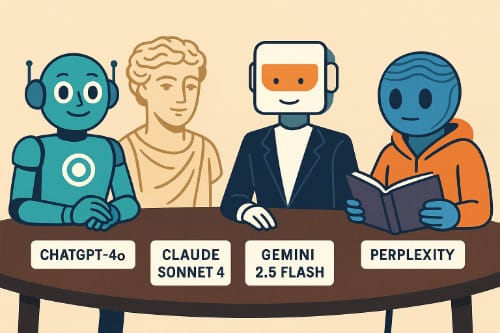
If you’ve ever felt like you’re speed-dating AIs just to find the one that gets your weird mix of questions, creativity, and curiosity—you’re not alone. The new generation of AI assistants in 2025 feels a bit like assembling your dream band: each has its own strengths, quirks, and genre.
In this post, I’ll pit four of the biggest players against each other—OpenAI’s ChatGPT-4o, Anthropic’s Claude Sonnet 4, Google’s Gemini 2.5 Flash, and Perplexity’s Standard model—to see how they stack up across key areas. Keep in mind, these are the free versions of each. If you go for the paid plans (usually around $20 a month), you get even more capabilities.
Intelligence and Understanding
ChatGPT-4o (OpenAI)
OpenAI’s “omnimodel” (that’s what the “o” stands for) is the most balanced conversationalist of the bunch. It’s fast, articulate, and surprisingly good at emotional tone—helping you write blog posts, code, or even untangle your thoughts. It handles math, logic, and creative writing smoothly. And with GPT-4o, it can “see” and “hear” with multimodal abilities, making it a bit of a polymath.
Think of it as your smartest friend who’s also great at explaining things and never tired of brainstorming.
Claude Sonnet 4 (Anthropic)
Claude has a more contemplative, almost philosophical vibe. It excels at reading and analyzing long documents—like if you dropped a dense white paper on AI ethics or a 200-page novel into the chat, Claude wouldn’t blink. It’s also the most cautious of the bunch—polite, filtered, and often offers “consider all sides” responses.
Picture Claude as the liberal arts professor who brings nuance and humanity into every answer.
Gemini 2.5 Flash (Google DeepMind)
Gemini Flash is the speed demon. Designed for snappy, fast interactions, it often responds faster than the others and does so with decent accuracy. However, it can lack the depth or warmth of ChatGPT or Claude in creative or emotionally nuanced tasks. That said, it plays extremely well with other Google tools (Docs, Sheets, Gmail).
Think of Gemini Flash as your super-efficient assistant—less poetic, more productivity.
Perplexity Standard
This one’s a bit different. Perplexity’s model is all about real-time search. Instead of generating answers from a fixed knowledge base, it fetches current information from the internet and cites it directly. It’s like having a search engine with a conversational front end. Great for up-to-the-minute answers.
Perplexity is the librarian who sprints across the stacks and brings you five books and a few recent newspaper articles—fast.
Speed and Responsiveness
- Gemini Flash is fastest, no contest.
- ChatGPT-4o is now extremely quick, even when juggling images or data.
- Claude Sonnet 4 is fast, but thoughtful—it sometimes pauses as if it’s genuinely mulling over your question.
- Perplexity is variable: fast for basic questions, but might take a few seconds for deeper searches.
Creativity and Writing
- ChatGPT-4o is the most versatile: it can write poetry, comedy, scripts, and user-friendly code.
- Claude brings literary depth. If you want something elegant or soulful, it might even outperform ChatGPT.
- Gemini Flash is fine for outlines and quick drafts but lacks flair.
- Perplexity isn’t built for creativity—it’s more like an AI researcher than a storyteller.
Real-Time Knowledge
This is where Perplexity shines. It actively searches the web in real time and shows sources. If you’re looking for the latest news, product comparisons, or niche data, it’s the one to use.
- ChatGPT-4o has web browsing in the Pro plan (but slower and more structured).
- Claude Sonnet 4 does not browse (as of now).
- Gemini Flash is connected to Google Search but isn’t as transparent with citations as Perplexity.
Use Case Match-Ups
| Use Case | Best AI Choice |
|---|
| Writing a blog post | ChatGPT-4o or Claude 4 |
| Answering real-time news | Perplexity Standard |
| Brainstorming a project | ChatGPT-4o |
| Deep document analysis | Claude Sonnet 4 |
| Quick answers + integration | Gemini 2.5 Flash |
| Coding help | ChatGPT-4o |
| Search with citations | Perplexity Standard |
| Creating visual or voice content | ChatGPT-4o |
My Personal Taste
There’s no single winner here—it’s more like a toolkit:
- ChatGPT-4o: Best all-around. If you want one AI to rule them all, this is it.
- Claude Sonnet 4: Best for nuanced thought, long texts, and emotionally intelligent writing.
- Gemini 2.5 Flash: Best if you’re deep in the Googleverse and want speed above all.
- Perplexity Standard: Best for up-to-date facts, live research, and citations.
Personally? I keep ChatGPT-4o as my default, but reach for Perplexity when I need to check the latest headlines or product specs, and use Claude when I want a second opinion that sounds like it came from an AI who’s read more Russian literature than I have.
In the end, the best AI isn’t the smartest—it’s the one that matches how you think, create, and explore.
by Patrix | May 26, 2025
Bitcoin is a little like jazz or abstract art — it’s endlessly debated, often deeply misunderstood, and occasionally polarizing. While early adopters champion it as the future of money, critics are quick to call it speculative, dangerous, or downright wasteful. I have friends and family members that often challenge my belief that Bitcoin is a better way. I’ve noticed over the years that there are some common and often repeated criticisms. So, I thought I’d do my best to address the most often heard assertions, one-by-one, and offer my response. So, let’s walk through 10 of the most common criticisms of Bitcoin and take a look at the counterarguments. Whether you’re a curious newcomer or a crypto skeptic, consider these ideas.
1. “Bitcoin uses too much energy.”
The Criticism: Bitcoin’s mining process (proof of work) consumes as much energy as some small countries, raising concerns about its environmental impact.
The Response: Yes, Bitcoin is energy-intensive — by design. It’s what secures the network and prevents fraud. However, energy use isn’t the same as energy waste. A few points to consider:
- Much of Bitcoin mining gravitates to where energy is cheap and abundant — often stranded or renewable sources like hydropower in Sichuan or geothermal in Iceland.
- According to the Bitcoin Mining Council, over 50% of mining energy comes from sustainable sources.
- Traditional banking and gold mining consume significant energy too — they’re just more opaque.
Still, it’s a valid concern. Many in the Bitcoin community support innovations like Layer 2 solutions (e.g., the Lightning Network) to reduce base-layer transactions and minimize energy use over time.
2. “Bitcoin is too volatile to be a real currency.”
The Criticism: Prices swing wildly. One month it’s up 40%, the next it crashes. How can anyone use that to buy a sandwich?
The Response: Absolutely — Bitcoin’s price is volatile. But it’s not the only asset that behaved this way early on. Amazon stock, for example, lost over 90% of its value in the dot-com bust before becoming a trillion-dollar company. Volatility reflects Bitcoin’s youth, thin liquidity, and its dual identity as both store of value and emerging tech investment. Over time, with wider adoption and more infrastructure (ETFs, payment rails, etc.), volatility has decreased. In hyperinflationary countries like Argentina or Venezuela, Bitcoin’s volatility is actually less than their fiat alternatives.
3. “Bitcoin is used by criminals.”
The Criticism: It’s anonymous, untraceable, and the preferred currency of hackers and drug dealers.
The Response: It’s a classic association, but not entirely accurate.
- Bitcoin is pseudonymous, not anonymous. Every transaction is recorded on a public blockchain — forever. Law enforcement increasingly uses forensic tools (like Chainalysis) to track illicit activity.
- Illicit use of Bitcoin has dropped dramatically. A 2022 report from Chainalysis found that only 0.24% of crypto transactions were associated with criminal activity.
- U.S. dollars are still the currency of choice for criminals, globally.
In short, yes, Bitcoin has been used for illegal things — like every technology from the internet to envelopes. That doesn’t invalidate its legitimate use cases.
4. “Bitcoin doesn’t scale.”
The Criticism: Bitcoin can only handle ~7 transactions per second (TPS). Visa does thousands.
The Response: Correct — Bitcoin’s base layer prioritizes security and decentralization over speed. But that’s where Layer 2 comes in.
- The Lightning Network, a Layer 2 protocol, enables millions of TPS at near-zero fees. It’s already being used in places like El Salvador for everyday transactions.
- Think of Bitcoin’s base layer like a digital gold vault, and Lightning like your debit card. Not every coffee purchase needs to be on the blockchain.
Scaling is being solved — just not in the same way as traditional systems.
5. “Bitcoin is too complicated for the average person.”
The Criticism: Wallets, keys, seed phrases — it’s too technical and intimidating for mainstream use.
The Response: Early internet adoption faced the same hurdle — remember typing http:// into Netscape? (Hmm… maybe some of you are too young to even remember Netscape in the 1990s.) The point is, today, we swipe and tap to navigate the web. Bitcoin is only about 16 years old, and its UX has come a long way:
- Apps like Strike, Cash App, and Phoenix offer intuitive interfaces.
- Custodial solutions exist for those who don’t want to manage private keys (though they come with trade-offs).
- Education is spreading. Just like learning to use email once felt hard, so too will Bitcoin literacy evolve.
Mainstream adoption is a design challenge, not a death sentence.
6. “Bitcoin has no intrinsic value.”
The Criticism: You can’t touch it, eat it, or wear it. It’s just numbers on a screen.
The Response: This criticism misunderstands the idea of value.
- The U.S. dollar has no intrinsic value either — it’s backed by trust, not gold.
- Bitcoin’s value comes from scarcity (only 21 million), decentralization, security, and utility as an uncensorable money.
- Its open, borderless nature gives it unique properties compared to any traditional asset or currency.
Value is subjective. People assign value to things that solve real problems. Bitcoin does exactly that for many around the world.
7. “Bitcoin is controlled by a few big players (whales).”
The Criticism: Early adopters hold most of the coins, creating inequality and potential for market manipulation.
The Response: It’s true that some large wallets hold significant amounts of Bitcoin. But:
- Many “whale” addresses belong to exchanges, holding Bitcoin on behalf of millions of users.
- On-chain data shows that Bitcoin’s distribution is gradually becoming more decentralized.
- Unlike fiat systems, Bitcoin’s ledger is transparent. You can literally verify who holds what.
Inequality isn’t unique to Bitcoin — it reflects broader socioeconomic systems. But at least in Bitcoin, everyone plays by the same open rules.
8. “Governments will ban it.”
The Criticism: Bitcoin threatens central banks and sovereign control. Eventually, governments will outlaw it.
The Response: Some have tried (China), but Bitcoin has proven remarkably resilient.
- In liberal democracies, banning Bitcoin is legally and technically difficult.
- In the U.S., Bitcoin is increasingly embraced — by senators, mayors, and even Wall Street firms like BlackRock and Fidelity.
- Countries like El Salvador have made Bitcoin legal tender.
Like the internet, governments may regulate Bitcoin — but outright bans tend to backfire, push innovation elsewhere, or simply don’t work.
9. “Bitcoin isn’t backed by anything.”
The Criticism: It’s not tied to gold, oil, or any real-world asset.
The Response: Neither is the dollar. Nor are most national currencies since Nixon closed the gold window in 1971. Bitcoin is backed by:
- Mathematics and cryptography
- A decentralized network of miners and nodes
- The belief and trust of millions globally
It’s a new kind of money — one where the guarantee is code, not governments.
10. “Bitcoin is just a bubble.”
The Criticism: It’s another tulip mania. Eventually, the hype will die and people will be left holding the bag.
The Response: Bitcoin has gone through multiple bubbles and crashes — and each time, it comes back stronger.
- 2011: from $1 to $31, then crashed to $2
- 2013: from $13 to $1,000, then down to $666
- 2017: from $1,044 to $17,600, then down to $7,700 by early 2018
- 2021: from $34,000 to %63,000, then down again to $30,000 …
But in the long arc, adoption keeps growing: more wallets, more infrastructure, more recognition. Bubbles are part of how new technologies find fair value. If anything, Bitcoin is behaving like every major disruptive innovation before it.
Bitcoin is not perfect, nothing truly innovative ever is.
Criticisms are vital — they help sharpen the tools and improve the system. Whether Bitcoin becomes a global reserve asset or simply a niche store of value, understanding it deeply requires more than memes and careless headlines. If you’re skeptical, stay curious. If you’re a believer, stay humble. And if you’re somewhere in the middle — welcome. That’s where the most interesting conversations happen.
by Patrix | May 25, 2025
That awkward strip of land on the side of your house? It’s got serious potential. Whether it’s sun-drenched or shady, wild or weedy, you can turn it into a thriving little oasis—with some help from AI.
Using AI to plan and visualize your garden isn’t just for tech geeks. It’s for anyone who wants to skip the overwhelm and start digging with confidence. Let’s walk through how to design a side garden the smart way—guided by your creativity and assisted by AI.
Why Use AI for Garden Planning?
Good gardening is part art, part science. AI helps fill in the science-y bits so you can focus on the fun stuff—like choosing your color palette, imagining how it will smell in summer, or figuring out how to cram one more tomato plant into a too-small bed.
With just a few prompts, AI can help you:
- Pick plants that match your space and climate
- Design a layout that maximizes sun, airflow, and beauty
- Generate images to visualize the finished garden
- Create a planting and maintenance calendar
- Troubleshoot problems as your garden grows
Step 1: Describe Your Garden Space to AI
Start with ChatGPT or your preferred AI assistant. Give it a simple description of your space, like:
Help me plan a small side garden that’s about 3 feet wide and 12 feet long. It gets 5–6 hours of sun in the afternoon. I live in San Luis Obispo, and I’d like mostly low-maintenance plants that attract bees and butterflies.
Within seconds, you’ll have a suggested list of plants, ideas for layout, and maybe even soil tips. You can refine your request as much as you want: add a color theme, focus on edibles, or ask for deer-resistant options. AI won’t get tired of your follow-up questions.
Step 2: Generate a Visual of Your Future Garden
Once you have a general idea of what you want to grow, you can create an image of your imagined garden using AI tools — and yes, ChatGPT is one of them.
If you’re using ChatGPT with image generation (like the Plus plan with DALL·E built in), you can simply type something like:
Create an image of a narrow side yard garden with raised beds, blooming lavender and salvia, and a stepping stone path. There’s a wooden fence on one side and sunlight coming in from the left. Use a 3:2 aspect ratio.
ChatGPT will generate a custom image for you right in the chat. You can tweak the prompt until it matches your vision—add vertical elements, more color, or change the season.
If you don’t have image generation in ChatGPT, you can copy your prompt into tools like DALL·E (via Bing), or Midjourney. The goal is the same: bring your garden idea to life before you touch a trowel.
This is like having a virtual sketchpad for your green dreams—instantly adjustable and surprisingly inspiring.
Step 3: Let AI Help with Layout and Spacing
Spacing is one of the trickiest parts of planning a small garden. AI can help you figure out how to avoid crowding while still packing in the plants. Ask it:
How far apart should I plant lavender, yarrow, and oregano if I want a natural, cottage-style look?
It can even suggest companion plants or warn you about species that don’t play well together. You can also ask it to generate a simple grid-style layout to print or sketch onto your site plan.
Step 4: Build a Planting Calendar
Want to know when to plant your seeds or transplant your starts? AI can help create a customized calendar based on your location and plant list. Try:
Give me a monthly planting and maintenance schedule for a pollinator-friendly side garden in USDA Zone 9b.
You’ll get a timeline for planting, pruning, fertilizing, and even harvesting—without digging through a dozen different websites.
Step 5: Add a Bit of Tech to Your Soil
If you enjoy the techy side of things, consider adding a few smart tools to your garden setup:
- Soil moisture sensors that sync with your phone
- Smart irrigation timers with weather-based scheduling
- AR plant ID apps to identify mystery weeds or track blooms
It’s a low-effort way to stay connected to your garden, even when life gets busy.
AI Empowers Gardeners
Planning a garden used to mean flipping through books, sketching diagrams, and hoping your choices would work. With AI, you can test ideas, refine plans, and even dream up alternate designs before committing a single seed to the soil.
And once it’s planted? You’ll still be the one watering, weeding, and pausing to watch the bees. But now you’ll know that every plant earned its spot—and your side yard won’t feel like a leftover space anymore.