by Patrix | Apr 30, 2026
Something about Qwen3.6 stuck with me when I read through the release notes: it has a switch. Not a metaphorical one. A literal toggle between thinking mode and non-thinking mode. You decide, per conversation, whether you want the model to reason through a problem or just respond.
That sounds like a minor feature. It’s not.
Most local AI models are a single gear. You give them a prompt, they generate tokens, done. Qwen3.6 introduces a hybrid reasoning mode that works through complex problems step by step, then carries that reasoning trace into the next turn if you want it to. Or you can turn it off entirely for faster, more conversational responses.
The mechanics are cleaner than they sound. Thinking mode is for hard problems: code, math, reasoning chains where you want the model to show its work before committing to an answer. Non-thinking mode is for everything else, where speed matters more than depth. And there’s a third option called “Preserve Thinking” that keeps the reasoning trace alive across the entire conversation, so the model builds on what it already reasoned through rather than starting cold each turn. In practical terms, that means fewer tokens spent re-deriving context — reportedly around a 40% reduction in token usage on complex agentic workflows, with no measurable accuracy loss.
The architecture behind this is worth a brief look. Qwen3.6 combines linear attention with sparse mixture-of-experts routing. What that means in practice: it retains context more efficiently than standard attention models, which is why you get 256K context without the usual degradation at longer sequences. The thinking toggle sits on top of this architecture rather than requiring a separate model endpoint. One model, one download, two modes. That keeps the implementation clean in a way that matters when you’re running this locally.
I’ve been setting up local models on the Mac Mini M4 Pro, and the 27B variant is the one worth paying attention to here. At 4-bit quantization it weighs 18GB, which fits comfortably in 24GB unified memory. On the M4 Max, the closest available benchmark to the M4 Pro, Q4_K_M quantization runs at around 16 tokens per second. Fast enough for real work. One practical note if you’re pulling GGUFs manually: use Q4_K_M, not IQ4_XS. There’s a known llama.cpp/Metal regression that drops IQ4_XS performance to around 5 tokens per second on Apple Silicon. Q4_K_M sidesteps it entirely.
The benchmark numbers are also unusual for a 27B model. On SWE-bench Verified, a coding test that involves actually solving real GitHub issues, Qwen3.6-27B scores 77.2%. That matches or beats Qwen’s own 397B parameter model on major agentic coding benchmarks, despite having 14 times fewer total parameters. The architecture is doing real work there, not just compressing the same capability into a smaller shell.
One honest caveat: Qwen3.6 doesn’t run in Ollama yet. The multimodal components use separate projection files that Ollama’s current architecture doesn’t handle. You’ll need llama.cpp or Unsloth Studio. Unsloth Studio installs with a single curl command and auto-configures inference parameters when you select the model. MLX quants are also available for Apple Silicon if you want a more native Mac experience, though llama.cpp with Metal support is fast enough that the practical difference is small.
The question that interests me more than the setup: when do you actually want an AI to think? Not as a philosophical exercise. As a practical decision you make before sending each message. Thinking mode takes longer and burns more tokens. Non-thinking mode is faster but shallower. Most of the time the right answer is obvious in retrospect, but Qwen3.6 forces you to have an opinion about it upfront.
Most AI tools don’t ask you to think about how they think. This one does. You’re not just prompting — you’re choosing whether to engage the model’s reasoning machinery or route around it. That’s an unfamiliar position if you’re used to treating local models as fast autocomplete. For structured tasks with clear requirements, thinking mode earns its slower response time by reasoning through edge cases the model would otherwise skip. For quick Q&A, non-thinking mode is the right call. The sweet spot I’m most curious about is agentic workflows, where toggling thinking mode per subtask could cut token costs significantly without sacrificing quality on the steps that actually need careful reasoning.
Worth installing. Worth testing. Particularly if you have a 24GB Mac and you’ve been looking for a local model that doesn’t feel like a compromise.
by Patrix | Sep 29, 2025
I’ve had the iPhone 17 Pro for just about a week now, and I’ve concluded that it isn’t just another annual polish by Apple.
It’s a camera-first, silicon-forward statement aimed at creators and anyone curious about where on-device AI is going next. The headline upgrades are straightforward: three 48-megapixel rear sensors with the longest iPhone zoom yet, and the new A19 Pro chip with a reworked cooling system that’s built to keep serious workloads from wilting. The question is whether those upgrades add up to real-world gains — and whether the trade-offs (price, durability chatter, repairability) dull the shine.
I lived with the 17 Pro like a travel-light creator would: shooting portraits at golden hour, zooming into birds over the surf, slicing short clips together, and pushing edits while streaming a match replay. Here’s where it sings, where it scuffs, and who should buy it.
What’s genuinely new — and why it matters
Apple’s own pitch is simple: A19 Pro performance with “vapor-cooled” stability, an all-48MP “Fusion” rear camera trio, and a smarter front camera with Center Stage framing. That framework is real, not marketing fluff. On paper, you’re looking at a 6-core CPU, 6-core GPU, and a 16-core Neural Engine, plus per-GPU “Neural Accelerators” that juice matrix math — the bread-and-butter of modern AI tasks like summarization, image upscaling, and local transcription. That silicon is the bedrock for the next few iOS cycles, when more of Apple’s “intelligence” features shift from the cloud to your pocket.
Cameras: the rule of three (48 MP, 48 MP, 48 MP)
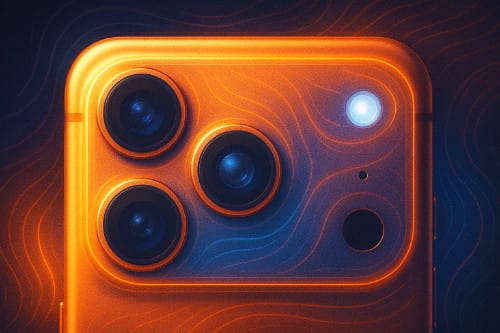
For the first time, every rear camera lands at 48 megapixels: wide, ultra-wide, and telephoto. It’s the most coherent camera lineup Apple’s shipped, and it pays off in two ways. First, color and detail feel more consistent as you hop lenses. Second, Apple leans heavily on confident center-crop pipelines, which enable that attention-grabbing “8× optical-quality” reach without turning textures to watercolor. The tetraprism telephoto sits on a larger, higher-resolution sensor than last year’s, and it shows when you zoom into signage, wildlife, or architectural details. If you’re a travel shooter or you love candid portraits from across the courtyard, this is the first iPhone telephoto that feels like a dependable tool, not a party trick.
Video remains Apple’s home turf. Dual Capture (front and rear), ProRes, and a robust pipeline make the phone an easy “shoot, trim, publish” machine. It’s the sort of practical edge that matters more than a spec sheet if you’re vlogging a winery visit or layering B-roll of waves over voiceover. That versatility means fewer excuses to bring a second camera — and fewer steps between idea and upload.
A quick note on the front camera: Center Stage framing now helps with group selfies and handheld video diaries. It’s a subtle assist, but it saves retakes. Think of it as a tiny, polite director nudging the composition.
The A19 Pro and the coming wave of on-device AI
Benchmarks are only one piece of the story, but they capture the thrust: Apple’s A19 family sets a new high-water mark for single-core efficiency, and the Pro variant is purpose-built for sustained bursts rather than quick sprints. That matters because modern “AI features” aren’t single taps; they’re background model runs, longer transcriptions, and real-time effects that stress thermals. Pair that with iOS 26’s early forays into on-device “intelligence,” and you can see why Apple prioritized a cooler that quietly does the unglamorous work. If you keep phones for three to four years, that headroom is the kind of future-proofing that actually pays off.
In practical terms, that means you can transcribe a long interview in a coffee shop without watching the battery nosedive or the frame rate tank when you open a map. And if Apple’s next-wave features (on-device image generation, smarter video indexing, richer voice synthesis) really land, the 17 Pro is poised to run them locally rather than punting everything to a server.
Display, battery, and day-to-day
The Pro’s OLED still looks superb outdoors, with a friendlier anti-reflective layer that helps in bright beach light. Battery life has crept up again — especially on the Pro Max — and the combination of silicon efficiency and the vapor chamber means your second hour of a task feels a lot like your first. It’s the small, cumulative wins that make a device feel reliable rather than flashy. Specs like the 6.3-inch display, 206 g weight (233 g on Pro Max), and 8.75 mm depth mean it’s still a dense slab, but the balance is good in hand.
The trade-offs: price, repair, and “scratchgate”
Premium pricing remains premium. Start around the thousand-dollar mark and climb fast with storage. If you’ll truly use the camera stack and compute headroom, the math can work. If not, the standard iPhone 17 is very capable for less.
Repairability is still Apple-esque: most jobs route through the display first, and parts pairing nudges you toward official service. You may never crack it open, but it affects total cost of ownership if you keep phones beyond AppleCare.
Then there’s the conversation of the month: scuffing around the “camera plateau.” Independent teardowns and microscope shots suggest the anodized aluminum finish is most vulnerable at sharp bump edges where the coating can flake under abrasion. Apple, for its part, has argued some store-unit marks came from worn MagSafe stands transferring material — which is plausible for certain scuffs, but it doesn’t fully explain the edge wear seen in stress tests. Bottom line: if you’re case-averse, keep this in mind, especially if you value trade-in value later.
Who should upgrade?
If you shoot often (especially portraits, travel, and wildlife), the 17 Pro’s uniform 48 MP lineup and telephoto reach are substantive. If you edit and publish from your phone, the A19 Pro plus vapor cooling is meaningful. And if you want to be early to Apple’s local-AI story, this is the safe bet.
If your use is casual and you’re not zoom-happy, the base 17 will likely satisfy. If you’re sensitive to finish wear and don’t like cases, you might wait a cycle to see if Apple softens those camera-bump edges.
A practical buying guide in one paragraph
Choose iPhone 17 Pro if your camera roll is your portfolio, you edit on the go, and you want silicon that’ll carry the next few years of on-device AI. Choose Pro Max if you prize battery and the biggest canvas. Choose iPhone 17 if you want most of the experience without the price or mass. Whichever you pick, consider a slim case — not for drops, but to protect that camera plateau from the slow grind of pockets, mounts, and countertops.
I sometimes tell friends that phones are like kitchen knives: the right one makes you cook more, not just cut faster. The iPhone 17 Pro is that kind of tool for image-makers and tinkerers. It doesn’t merely benchmark well; it invites you to create more often — and leaves headroom for the smarter workflows Apple hasn’t shipped yet.
One additional note: I don’t think the “Bitcoin Orange” option is just a happy accident!
by Patrix | Sep 9, 2025
Apple’s September 9, 2025, event had all the hallmarks of Cupertino stagecraft: gleaming video montages, big claims about breakthroughs, and that familiar undercurrent of “one more thing.” Yet what struck me most was not the spectacle but the consistency. This year’s announcements weren’t gimmicks. They were Apple’s careful attempt to make its products thinner, smarter, and more integrated into daily life.
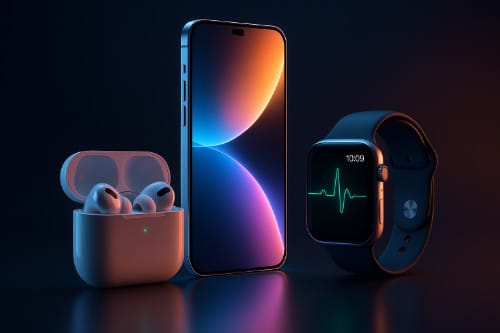
From the ultra-slim iPhone Air to AirPods that double as heart monitors, to watches edging closer to true medical companions, Apple is threading design with health, convenience, and creative potential. For retirees, hobbyist filmmakers, or anyone looking to blend technology with lifestyle, the 2025 lineup is worth unpacking.
iPhone 17 Lineup and the Ultra-Slim iPhone Air
The iPhone Air stole the spotlight. At just 5.6 millimeters thin and weighing 165 grams, it is the slimmest iPhone Apple has ever made. Wrapped in grade-5 titanium, it feels less like a smartphone and more like a precision-milled piece of jewelry. Apple even redesigned the back into a plateau that maximizes battery space while still leaving room for its upgraded cameras.
Despite the diet, the Air doesn’t skimp on display or performance. It sports a 6.5-inch Super Retina XDR screen capable of 120 hertz refresh rates and brightness peaking at 3,000 nits. Ceramic Shield 2 glass on the front and back adds three times the scratch resistance and four times the crack resistance of the previous generation—an acknowledgment that thin should not mean fragile.
Inside, Apple’s new A19 Pro chip drives the show, paired with a C1X modem and N1 networking chip to support Wi-Fi 7, Bluetooth 6, and Thread. The result is a phone that connects faster, streams smoother, and should stay viable through several software generations. Battery life surprised many reviewers: up to 27 hours of video playback on a single charge, extendable to 40 hours with a $99 MagSafe battery pack.
Camera lovers will notice the biggest upgrades. The Air’s 48-megapixel Fusion system simulates the flexibility of multiple lenses without actually having them. Combined with a 12-megapixel telephoto and an 18-megapixel Center Stage front camera, the device also supports dual recording, letting you capture yourself and your subject at once. For storytellers and family archivists, that’s a gift.
The iPhone Air starts at $999 for 256 gigabytes of storage and comes in space black, cloud white, light gold, and sky blue. Preorders begin September 12, with shipments rolling out September 19.
Of course, the Air wasn’t alone. The iPhone 17 keeps Apple’s mainstream audience happy with a slightly larger 6.3-inch display, a 120 hertz panel, and upgraded dual 48-megapixel cameras. Priced from $799 for 256 gigabytes, it hits the sweet spot for most people. The Pro and Pro Max models remain the tools for creators and enthusiasts. Starting at $1,099 and $1,199 respectively, they add vapor-chamber cooling for heavy workloads, tetraprism camera systems with up to 16-times optical zoom, and video capabilities like ProRes RAW and GenLock synchronization.
AirPods Pro 3: Your Earbuds, Now with a Pulse
Apple’s wireless earbuds have long been the company’s stealth success story. This year’s AirPods Pro 3 take them into new territory. Yes, they sound better—the active noise cancellation is now billed as “the world’s best,” twice as effective as the previous model and four times more than the original. But the bigger story is health.
Each pair comes with a built-in photoplethysmography (PPG) sensor, which uses subtle light changes to monitor your heart rate. Paired with the Fitness app, the earbuds can track over 50 workout types. Imagine going for a morning walk, podcast in your ears, while your heart rate is quietly logged without needing a watch. For people who find wearables intrusive, this is a clever alternative.
Then there’s the translation feature. Apple has introduced live translation that plays spoken words directly into your ear and offers transcription on your device. For travelers or bilingual families, that could be transformative.
Comfort has been refined as well. Apple scanned over 10,000 ears to design new foam-infused tips, adding an extra-small size to make the fit more universal. Durability gets a bump with IP57 water resistance. Battery life stretches to eight hours on a charge and about 30 hours with the case—a 33 percent improvement. Pricing stays at $249, with availability starting September 19.
Apple Watch: Health on Your Wrist
Apple’s watch lineup this year shows a clear focus on health. The entry-level SE 3, priced at $249, now offers an always-on display, a faster S10 chip, and sleep apnea detection. It can also provide retrospective ovulation estimates, wrist temperature sensing, and new double-tap and wrist-flick gestures for quick navigation. Fast charging means 15 minutes on the puck gives you about eight hours of use, while a full charge lasts 18 hours. It runs watchOS 26, which introduces the fluid new Liquid Glass interface and tighter integration with Apple Intelligence.
The Series 11, starting around $399, pushes into medical territory with hypertension alerts and more advanced sleep metrics. It’s thinner, tougher, and designed to withstand daily wear without losing polish.
The Ultra 3, Apple’s rugged flagship at $799, adds satellite connectivity for emergencies, extended low-power mode lasting up to 72 hours, and a build aimed at adventurers. For hikers, divers, or anyone who likes to wander outside the range of cell towers, this is the watch you want on your wrist.
Why It All Matters
Apple’s 2025 event didn’t introduce wild surprises. Instead, it polished the formula: thinner phones that still last all day, earbuds that blend entertainment with wellness, and watches that inch closer to becoming medical companions.
The iPhone Air proves that thin doesn’t have to mean compromised—an ultra-portable device that still packs professional-grade hardware. AirPods Pro 3 show Apple’s knack for embedding health features in accessories we already use daily. The watch lineup demonstrates that health tracking is no longer an add-on; it’s the main event.
Underneath it all is Apple Intelligence and the new Liquid Glass interface, weaving a subtler kind of AI into the experience. Rather than demanding your attention, it quietly adapts, offering context, translation, or workout guidance when needed.