by Patrix | Nov 21, 2025
If you’ve been refreshing your news feeds like I have for the past 48 hours, you know the wait is finally over. Google officially dropped Gemini 3 on Tuesday, and to say it’s a “step up” would be the understatement of the year. It feels less like a software update and more like we just unlocked a new tier of the simulation.We’ve seen AI that can paint, and we’ve seen AI that can code. But Gemini 3 is the first model that genuinely feels like it understands the soul of both disciplines. Whether you’re a digital painter trying to render perfect typography or a developer building the next big agentic app on the newly released Antigravity platform, everything just shifted.Let’s start with the visuals, because this is where the leap is most visceral. For the longest time, AI image generation was a game of “prompt roulette”—spinning the wheel and hoping for six fingers instead of seven.Enter: Nano Banana Pro
I know, the name sounds like a smoothie ingredient, but Nano Banana Pro is the official name of the new image generation engine built on the Gemini 3 foundation, and it is an absolute beast.
- Text That Actually Reads: We can finally say goodbye to the days of gibberish alien languages on AI-generated signs. Gemini 3 renders text within images with near-perfect accuracy. If you need a cyberpunk street scene with a neon sign that says “Artsy Geeky 2025,” it just does it. No Photoshop patch-up required.
- 4K Native Resolution: We are talking about crisp, 4K output straight out of the gate. The details in lighting, texture, and depth of field are startlingly photorealistic.
- Fine-Tune Controls: This is the “Pro” part. You aren’t just prompting; you’re directing. You can now adjust specific parameters like camera angle, f-stop (depth of field), and lighting temperature using natural language.
Multimodal “Vibe” Checks
The “multimodal” buzzword gets thrown around a lot, but Gemini 3 lives it. You can now upload a video clip—say, a scene from a movie you love—and ask Gemini to “capture this mood for a short story.” It analyzes the lighting, the pacing, the audio cues, and the emotional subtext to generate writing that feels like that video looks. It’s synesthesia as a service.
PhD-Level Reasoning
Okay, devs and data nerds, huddle up. The pretty pictures are nice, but what’s under the hood is where the real revolution is happening.
The “Deep Think” Protocol
Google has introduced a new mode called Deep Think, and it’s terrifyingly smart. In benchmark tests (specifically the GPQA Diamond), Gemini 3 is hitting PhD-level reasoning scores that leave previous models in the dust.
This isn’t just about answering questions faster; it’s about thinking longer. When you hit “Deep Think,” the model allocates more compute time to structure its chain of thought before outputting a single character.
- Complex Logic Chains: It can dismantle multi-layered logic puzzles that would trip up Gemini 2.5.
- Code Architecture: Instead of just spitting out a Python script, it plans the entire directory structure, dependencies, and edge-case handling before writing a line of code.
The Antigravity Platform
This is the big one for the builders. Alongside Gemini 3, Google launched Antigravity, a dedicated platform for building “Agentic” apps.
We aren’t just building chatbots anymore; we are building agents that do things.
- Autonomous Workflows: You can task a Gemini 3 agent to “monitor this GitHub repo, and if a PR matches these criteria, run this specific test suite and Slack me the results.”
- 1 Million Token Context (Stable): The 1M context window isn’t experimental anymore; it’s the standard. You can dump an entire legacy codebase into the context and ask Gemini to refactor it for modern standards, and it won’t “forget” the beginning of the file halfway through.
Vibe Coding
“Vibe Coding” is the term getting tossed around the developer discords right now. It refers to using Gemini 3’s natural language capabilities to build apps based on a “vibe” rather than a spec sheet.
Because Gemini 3 understands visual and tonal nuance so well, you can describe an app: “I want a to-do list app that feels like a calm, rainy Sunday morning in Tokyo.”
Gemini 3 won’t just build a to-do list; it will:
- Select a muted, cool-toned color palette.
- Suggest a minimalist UI with soft rounded corners.
- Write the CSS and React components to match that specific aesthetic.
Gemini 2.5 vs. Gemini 3: The Cheat Sheet
For those scanning for the upgrade incentives, here is the raw data:
| Feature | Gemini 2.5 Pro | Gemini 3 |
|---|
| Reasoning | Strong | PhD-Level (Deep Think) |
| Context Window | 1M (Experimental) | 1M (Stable/Native) |
| Image Gen | Standard (Imagen 3) | Nano Banana Pro (Text + 4K) |
| Dev Platform | Vertex AI Standard | Antigravity (Agent First) |
| Video Understanding | ~83% MMMU Score | 87.6% MMMU Score |
The Elephant in the Room
We can’t talk about this without addressing the creative anxiety. I’ve seen the threads. Artists are worried. Writers are worried. And honestly? That fear is valid.
When a machine can replicate a “mood” or render perfect typography, the barrier to entry for creating “good enough” art drops to zero. But here is my take after 48 hours with Gemini 3: It raises the ceiling more than it lowers the floor.
The “Deep Think” mode is brilliant, but it still needs a Thinker. The Nano Banana engine renders beautiful pixels, but it needs a Visionary to direct the camera. Gemini 3 is the most powerful co-pilot we have ever seen, but it is still sitting in the passenger seat. The destination? That’s still up to us.
Gemini 3 isn’t just an upgrade; it’s a challenge. It challenges us to dream bigger, code smarter, and create with more audacity than ever before. The tools are no longer the bottleneck. The only limit now is your own imagination.
by Patrix | Nov 5, 2025
Imagine a world where everything you own, from your beach house to your concert ticket to the tiny watercolor you just painted, exists as a digital token—a unique, verifiable object on a global network. Not a copy, not a file on your computer, but a token that proves ownership, authenticity, and sometimes even emotion. That’s the tokenized world we’re heading toward, and whether we notice it or not, it’s already taking shape beneath our feet.
The New Language of Value
For most of history, ownership was physical. You held a deed, a coin, or a painting. The internet shattered that logic. Suddenly, value could move at light speed, but proof of ownership couldn’t. Blockchain technology fixed that gap. It introduced the idea of a token, which is a kind of digital certificate that says, “This belongs to me.”
Bitcoin was the first major example. It proved digital scarcity was possible. Then Ethereum showed we could tokenize just about anything: art, music, even tweets. And now, as the technology matures, we’re moving toward a world where every object, idea, or access point can be represented by a token.
Tokenization in Everyday Life
Think beyond crypto collectibles or meme coins. Imagine these scenarios:
- A musician releases a limited run of songs as collectible tokens. Fans can trade them or use them as keys to private shows.
- A photographer sells access to their entire portfolio as a fractionalized token, allowing patrons to share in its future value.
- Real estate gets tokenized, making it possible to invest in a slice of a vacation home rather than buying the whole thing.
- Even your reputation or social media presence could be tokenized, transforming online influence into tangible value.
In this sense, tokenization becomes a kind of digital fabric. It’s an invisible layer of ownership that threads through our economy and culture.
The Psychological Shift
When everything becomes tokenized, the way we think about value changes. Ownership is no longer about possession; it’s about participation. A digital artist might still “own” their original file, but the value of their token lies in its story and the network of people who believe in it.
We’re already seeing this with NFTs. A painting in your living room might have sentimental value, but a digital token can carry community value. It blurs the line between collector and creator. Everyone becomes part of the creative economy.
There’s something almost poetic about that. The world becomes a gallery, and each token a brushstroke in a collective artwork.
The Good, the Weird, and the Inevitable
Like any major shift, tokenization comes with tension. It’s not just about technology; it’s about human behavior.
On the good side, tokenization democratizes access. It opens doors for people who never had them—small creators, global investors, artists in remote towns. It makes the economy more liquid, more transparent, and potentially more fair.
On the weird side, it also risks commodifying everything. When even your digital identity has a token price, what happens to authenticity? Will art still feel sacred when it’s instantly tradeable? Will friendship or community lose something if loyalty points become financial assets?
And yet, this evolution feels inevitable. The internet has always pushed us toward abstraction. From gold to paper to pixels to tokens, we keep reimagining what “value” means.
Art in the Age of Tokens
For artists, tokenization is both liberation and labyrinth. It means direct connection with audiences, verifiable provenance, and income streams that don’t rely on middlemen. But it also means navigating marketplaces, smart contracts, and the psychological weight of constant monetization.
Still, artists have always been at the forefront of new mediums. From the first cave painter to the first crypto artist, creation and experimentation go hand in hand. In many ways, tokenization restores something ancient: the human need to prove, “I made this,” and to have that statement echo across time.
When the World Itself Becomes a Ledger
One day, we may wake up and realize that tokenization isn’t just a feature of the economy; it’s the economy. Your car’s maintenance record, your diploma, your medical data, your digital garden of AI-generated art—each tokenized, portable, and under your control.
It’s easy to see this as dystopian or utopian, depending on your mood. The truth, as usual, will probably be somewhere in between. The key question is not whether everything will be tokenized, but how we’ll behave once it is.
Will we treat tokens as mere assets, or as meaningful artifacts of human creativity? Will we use them to build trust and community, or to speculate and divide?
If we get it right, tokenization could become one of the most empowering technologies of our lifetime. It’s a bridge between art and math, between ownership and identity. A world where value is no longer confined to banks and galleries, but flows freely, beautifully, and verifiably among us.
And maybe, when everything becomes a token, we’ll finally see that the real value was never in the token itself, but in the human stories behind it.
by Patrix | Nov 3, 2025
The first time you open Google AI Studio, it feels like walking into a modern art lab. There are buttons, sliders, and glowing boxes full of potential. It looks technical at first, but within minutes you realize it’s less like coding and more like sketching with light.
For creative people such as writers, painters, designers, retired tinkerers, or anyone curious about artificial intelligence, Google AI Studio might be one of the most quietly powerful creative tools of the year.
A Playground for AI Curiosity
Google AI Studio is Google’s free, browser-based interface for exploring its Gemini AI models. These are the same language models that power Gemini, formerly Bard, but here you can guide and shape their responses directly. It’s a conversational sandbox where you can build your own digital assistant, art muse, or idea generator.
There’s no software to install and no coding experience required. You sign in with your Google account and step into a workspace where you can type prompts, test responses, and adjust the “temperature” of the model. That setting controls how imaginative or precise the AI behaves. A lower temperature produces steady, factual answers. A higher one lets the AI wander creatively, like a jazz musician exploring a theme.
Turning Ideas Into Quick Prototypes
Imagine you’re brainstorming a new story concept. You can feed a short description into AI Studio and ask for possible character arcs, emotional tones, or even snippets of dialogue. A digital artist could use it to refine Midjourney prompts until the imagery matches what they see in their mind. A small business owner might experiment with product descriptions or short ad scripts.
Because you can adjust the AI’s settings on the fly, it feels like jamming with a creative partner. The tool doesn’t just answer questions; it helps you iterate. You can keep nudging the idea until it feels right.
The experience is less like programming and more like co-creating.
Build Something You Can Share
Once you’ve shaped an idea or prompt that works well, Google AI Studio lets you turn it into a shareable prototype. With just a few clicks, you can generate a public link or even an API endpoint that developers can connect to a website or app.
Even if you never plan to code, this means you can design experiences that others can use. Imagine creating a journaling assistant, a creative writing coach, or a generator that helps artists craft better image prompts. It’s possible to do all of this inside AI Studio without touching a single line of code.
In a sense, Google has made it easy for non-engineers to start thinking like toolmakers.
A Transparent Window Into AI Thinking
One of the most fascinating parts of AI Studio is how clearly it shows what the AI is doing. You can see how changes in your prompt structure affect responses. You can watch how adjusting one parameter alters the tone or level of detail.
It’s a friendly introduction to the new skill of prompt engineering. Understanding how AI responds to language is becoming as practical today as knowing how to use Photoshop was twenty years ago.
For creative people, this kind of visibility removes the mystery. It shows that AI is not an oracle but a mirror that reflects human patterns. Once you see that, you can use it more consciously and with more playfulness.
Seamless with the Google Ecosystem
If you already live inside Google’s world with Docs, Drive, and Gmail, AI Studio will feel familiar. It connects easily to Google Cloud Vertex AI if you decide to expand into more serious development. You can begin as a hobbyist and grow into a builder without switching platforms.
Collaboration is simple too. You can share a project with a friend, student, or teammate. They can run the same prompt, tweak it, and send feedback. It’s like passing your sketchbook across the digital table.
A Creative Bridge, Not a Technical Barrier
AI Studio represents a quiet but important shift. It takes something deeply technical and makes it human again. The interface invites exploration rather than intimidation.
For artists and writers, it’s a place to test what AI can do for your craft. For educators, it’s a playground for designing interactive lessons. For retirees or lifelong learners, it’s a relaxed way to understand the next big leap in technology.
The beauty of AI Studio is that it rewards curiosity. You don’t need to know how it all works under the hood. You just need a question, an idea, or a dream to start with.
The Joy of Experimenting
The more time you spend in AI Studio, the more it starts to feel like a sketchpad that responds. Some experiments fail, others surprise you. But every session leaves you with a deeper sense of what’s possible.
That’s what makes it special. It encourages play. It encourages curiosity. It helps you see that AI is not just a tool for tech companies. It’s a new kind of creative partner.
Next time you’re sipping coffee and wondering what to make next, open Google AI Studio. You might find yourself building something delightfully unexpected.
by Patrix | Oct 31, 2025
If 2025 was the year everyone started talking to machines, 2026 will be the year we learn to talk beautifully to computers.
Across studios, coffee shops, and kitchen tables, artists and writers are discovering something quietly revolutionary: words are becoming brushstrokes. The way we describe an image to an AI model is starting to feel less like coding and more like painting. The prompt has evolved into a genuine art form, and how we craft it may soon define our creative era.
This isn’t about replacing artistry. It’s about extending it.
The Rise of the Prompt Era
There was a time when learning digital art meant memorizing software shortcuts. You knew your brushes in Photoshop or your layers in Procreate. But in 2026, the most powerful tool in the artist’s kit will language. It’s not what you click, it’s what you say.
Large language and diffusion models have matured. Tools like ChatGPT, Midjourney, DALL·E, and Google’s Gemini all interpret our phrases with nuance. Instead of telling a computer what to do, we tell it what to feel. A single sentence can now conjure entire worlds.
Why Prompts Are Like Brushstrokes
Think about how a painter works. A brushstroke can be gentle or bold, abstract or precise. The same goes for prompts. Every word carries a texture, a rhythm, a tone.
Try it.
Type this: “a cat in a garden.”
Now try this: “a sleepy Siamese cat lounging under pink bougainvillea, morning sunlight dappling its fur, watercolor style.”
Both describe a cat. Only one feels alive.
The difference isn’t in the AI; it’s in you. The artist’s voice has moved from the canvas to the sentence. The AI merely reflects it back.
We are discovering that the smallest change in phrasing—adding warmth, mystery, or mood—shifts everything. Like brush pressure or pigment density, language becomes the medium of emotion.
Finding Your Prompting Voice
Every artist has a signature. You can spot a Van Gogh sky or a Hopper shadow from a distance. The same individuality is emerging in prompt writing.
Your “prompting voice” is a mix of vocabulary, rhythm, and worldview. Some artists lean poetic. Others think in cinematic scenes or music-inspired imagery. The key is to write the way you see.
- Think in senses. Use texture, sound, and atmosphere. Instead of “a city,” say “a rain-washed city humming with neon reflections.”
- Reference artistic movements. “In the style of mid-century poster art” gives AI cultural context.
- Combine opposites. “Surreal yet minimalist” creates friction that often sparks originality.
Prompting is no longer about commanding a tool. It’s about conversing with one. The more personal your phrasing, the more the result feels yours.
Curation: The Hidden Art Form
Even the best prompts don’t always yield perfect images. That’s where curation steps in—the quiet act of choosing and refining.
Scrolling through a dozen AI outputs is like flipping through contact sheets from an old film shoot. Somewhere in that grid lies the soul of your idea. The trick is knowing which frame speaks to you.
Artists today are mixing worlds. They blend Midjourney generations with Procreate touch-ups or combine AI drafts with watercolor washes. The computer’s precision meets the human hand’s imperfection. The two together create something new and strangely honest.
Ethics, Originality, and Intention
Let’s be honest: AI art still walks a tricky line. These systems learn from vast pools of human-created work. So where does originality begin?
For me, it begins with intention.
If your goal is expression, exploration, and emotional truth, then the machine becomes a collaborator, not a thief. Artists have always borrowed from the past. Think of the way jazz riffs on older melodies or how painters reinterpret myths. The AI simply amplifies that process.
The key is transparency. Know what tools you’re using. Acknowledge influence. Mix in your own layers, words, or paint. Authenticity lives not in the medium but in the maker’s awareness.
A Simple Experiment
If you want to feel the magic firsthand, try this:
- Write one short, plain prompt: “a sunset over the ocean.”
- Then rewrite it with emotion and imagery: “the last glow of an orange sun dissolving into calm Pacific waters, a lone pelican gliding through the reflection.”
- Generate both, and compare.
Most people are stunned. The second image feels like it carries a soul. That’s not because the AI suddenly became smarter. It’s because you did.
The Future of Creative Language
By early 2026, new tools will make this collaboration even richer. We’re already seeing AI systems that merge text, sound, and movement. Type a scene and watch it unfold as animation. Speak a mood and hear music adapt in real time.
Soon, art students might study “prompt literacy” alongside color theory and composition. The brush and the pen are still here—they’ve just gained a digital cousin.
What excites me most is not what AI can do, but what it reveals: that creativity has never been about medium or tool. It’s about translation—turning the invisible inner world into something shareable. Whether through oil paint or text prompts, the mission is the same.
History Rhymes
We are the first generation to paint with words that machines can see. It feels a little like magic, and a little like history repeating itself.
Painters once feared photography. Writers feared the typewriter. Musicians feared the synthesizer. Each time, creativity adapted. And each time, art became more human, not less.
So yes, prompts are becoming the brushstrokes of our time. But they are still guided by the same hand, the same heart.
by Patrix | Oct 7, 2025
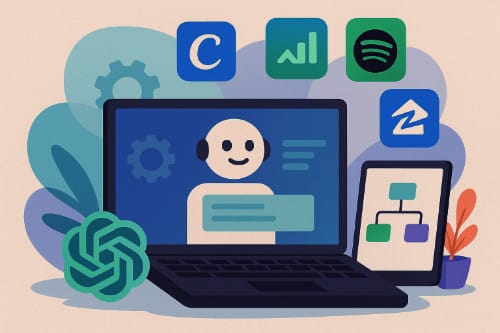
There was a time when ChatGPT was little more than a polite conversationalist with an impressive memory for facts. You typed a question, it answered. That’s changing fast. OpenAI has just unveiled two new features that push ChatGPT far beyond its roots as a chatbot: the ability to call on apps directly within ChatGPT, and a new developer framework called AgentKit. Together, these tools hint at an ambitious vision: ChatGPT not as a single AI assistant, but as a digital platform where apps, agents, and creativity converge.
Apps Inside ChatGPT
The most visible new feature is the introduction of apps that can operate right inside a ChatGPT conversation. Instead of merely linking to external websites or APIs, ChatGPT can now load interactive tools within the chat window. You might ask it to design a logo, book a flight, or create a playlist, and it can bring in apps like Canva, Expedia, Zillow, or Spotify to handle the details — without ever leaving the chat.
In practical terms, this means you can now conduct tasks that used to require jumping between tabs. Imagine asking ChatGPT to “find homes in Paso Robles with vineyard views under $900,000,” and it opens a Zillow panel with live listings. Or you could say “design a minimalist poster for my local art fair,” and ChatGPT brings in Canva to help you customize layouts right there in your conversation.
Developers can create these embedded tools using OpenAI’s new Apps SDK, which opens the door for a new ecosystem of chat-native software. Instead of designing apps around menus, screens, and icons, developers are designing for conversation — an interface where users describe what they want and see the result unfold naturally.
This shift is bigger than it might first appear. It positions ChatGPT as something like a conversational operating system, or as some tech writers have called it, “a chat-first super-app.” The traditional app model depends on users finding and opening apps individually. In the new model, you stay in one environment, and the right tool appears when you need it.
For users, this reduces friction dramatically. For developers, it’s an invitation to reach hundreds of millions of people directly inside a space where users already spend time thinking, researching, and planning. And for OpenAI, it’s a strategic move toward making ChatGPT the hub where digital tasks begin and end.
Of course, there are challenges. Integrating apps into ChatGPT means new considerations for privacy and permissions. Users may need to authorize data sharing between ChatGPT and third-party services, and OpenAI will have to ensure transparency about how that data is used. There’s also the question of monetization: will developers be able to sell their in-chat apps? And will ChatGPT recommend partner apps more often than others? Those answers will likely emerge as the platform matures.
Still, the potential is obvious. With apps inside ChatGPT, we’re watching the boundaries between AI conversation and software interaction blur into something seamless.
AgentKit: Building the Brains Behind the Interface
While embedded apps handle tasks, OpenAI’s second major release, AgentKit, is about building autonomous intelligence. If the new ChatGPT apps are the hands of the operation, AgentKit is the brain.
AgentKit is a toolkit that lets developers (and soon, power users) create AI agents — autonomous systems that can perform complex workflows on their own. These agents don’t just respond to prompts; they act. They can fetch information, call APIs, take actions, evaluate results, and loop back to improve performance.
At its core, AgentKit combines several components:
- A visual agent builder, where you can design workflows through a drag-and-drop interface.
- A connector registry, offering prebuilt connections to popular APIs and services so you don’t need to write all the plumbing code yourself.
- A chat interface builder (called ChatKit), which lets you embed your agent into a website or app.
- An evaluation framework that helps test, monitor, and optimize how agents behave over time.
What’s remarkable about AgentKit is that it lowers the barrier to entry for building autonomous systems. In the past, developing an AI agent required juggling multiple services — prompt chains, data connectors, guardrails, and UI layers. AgentKit packages all of this into a single, coherent stack.
Imagine you run a small online business and want an AI that checks your Shopify store daily, flags low inventory, drafts a reorder email to your supplier, and then posts a status update to your team Slack. With AgentKit, that kind of automation could soon be built visually, without deep coding skills.
Or picture an indie researcher building an agent that monitors new publications in climate science, summarizes findings weekly, and updates a shared knowledge base. These aren’t far-off scenarios; they’re the kind of things developers are already experimenting with as the toolkit rolls out.
AgentKit also addresses one of the toughest problems in AI development: evaluation. It includes built-in tools to measure how well an agent performs its intended task, detect errors or hallucinations, and adjust its logic automatically. This kind of systematic feedback loop is essential if autonomous agents are to be trusted for serious work.
Why It Matters for Creatives and Entrepreneurs
For many ArtsyGeeky readers, this evolution means a new wave of opportunity. You don’t need to be a large company to harness AI anymore.
With apps inside ChatGPT, you can create, design, research, and organize projects from one conversational hub. A photographer could brainstorm blog titles, generate social media captions, open Canva to lay out a promo card, and then call Shopify to upload it — all from a single chat.
With AgentKit, you can automate what happens next. That same photographer could build an agent that tracks engagement data, suggests which images performed best, and recommends the next set of edits to promote.
This convergence of tools and intelligence transforms ChatGPT into a kind of creative studio. It’s not just reactive; it’s collaborative. The line between “asking an AI” and “working with an AI” is fading.
A Few Cautions Along the Way
As with any new technology, there are some caveats. AI agents, even well-trained ones, can still make mistakes. They can misinterpret intent, generate inaccurate data, or act in ways you didn’t expect if guardrails aren’t set properly. That’s why AgentKit includes safety tools and permissions systems to keep actions transparent and reversible.
Privacy is another key issue. Because apps and agents may access your data or connect with external accounts, users should pay attention to what they authorize. OpenAI will need to earn user trust by keeping permissions explicit and data use limited.
Finally, there’s the question of ecosystem fragmentation. Will developers build hundreds of different agent frameworks, each with its own quirks? Or will OpenAI’s ecosystem unify around a shared standard? For now, the company seems determined to make AgentKit the common language of AI automation.
The Next Frontier
When you put these two features together — apps inside ChatGPT and AgentKit — the larger picture comes into focus. OpenAI is positioning ChatGPT not as a single product, but as a platform for intelligent interaction. It’s a place where conversation becomes command, and AI becomes a co-worker.
Soon, users might chain together agents and apps in one session. A planning agent could call on Expedia to check flights, Canva to generate an itinerary design, and Google Sheets (through a connector) to budget the trip. It’s not hard to see how this could evolve into a fully integrated, conversational workspace — a kind of digital command center for modern creative life.
For those of us who’ve watched AI progress from curiosity to collaborator, it’s an exciting turn. Whether you’re a developer, a designer, or simply someone who loves tinkering with new ideas, the door just opened a little wider.
by Patrix | Oct 6, 2025
Every generation of programmers gets its magic moment. For those of us who remember watching code compile faster, the just-in-time compiler once felt revolutionary. Now, forty years later, “just-in-time” means something new. We’re not talking about optimization after you’ve written code — we’re talking about optimization while you’re writing it. Or rather, while your AI assistant is writing it for you.
In 2025, just-in-time coding is quietly redefining how software is made. It’s not a product you can buy or a single technology; it’s a workflow — a cultural shift toward code that materializes exactly when it’s needed, guided by AI models that understand intent, context, and consequences.
The New Meaning of “Just-in-Time”
In the old days, a just-in-time (JIT) compiler translated your code to machine language during execution for better performance. Today’s “JIT coding” flips that idea. Instead of optimizing after the code exists, the AI helps generate the right code as you think of it.
Here’s the general pattern that defines this new phase:
- You describe what you need in plain English — a feature, a fix, or a script.
- The AI plans a series of edits or new files.
- It writes, runs, tests, and revises that code — often without leaving your editor.
- You review the diff or pull request like a manager approving your apprentice’s work.
That’s it. The machine becomes a second set of hands that moves almost as fast as thought. It’s not a new compiler. It’s a new collaborator.
The Big Shift: Agents That Actually Code
The phrase “AI agent” has become a buzzword, but in this context, it means something tangible. An agentic coding system can reason about tasks, manage state, and act over time — not just autocomplete lines of code.
GitHub Copilot Workspace, for instance, turned heads when it was announced in 2024. It promised to take developers “from idea to runnable software” inside a single natural-language workflow. You could describe a feature, watch Copilot generate a plan, and then see it build, test, and run that feature in seconds.
Then came Claude Sonnet 4.5 from Anthropic in late 2025, and that raised the bar again. Claude’s long-context memory (up to a million tokens) lets it hold an entire project in its “head.” It can sustain a session for 30 hours without losing coherence — a milestone for anyone who’s watched a coding assistant forget what it was doing halfway through a refactor.
Anthropic didn’t stop at model performance. They released a Claude Code SDK and VS Code integration that let developers build their own autonomous agents with checkpoints, memory tools, and rollback features. For the first time, you can let an AI run with a task for hours, while still being able to pause, inspect, or rewind. It’s just-in-time coding with seat belts.
Why Latency Is the New Productivity Frontier
One of the underrated reasons this movement is taking off is speed. For just-in-time coding to feel natural, responses must appear faster than your brain can switch context.
That’s where new architectures like Fill-in-the-Middle (FIM) and speculative decoding come in. FIM models don’t just predict what comes next — they predict what goes between your existing lines, letting you type half an idea and watch it grow like a self-completing thought. Speculative decoding, meanwhile, lets the model draft multiple possibilities in parallel and return the best one almost instantly.
It might sound like inside baseball, but that half-second difference is everything. A delay of 600 milliseconds can break your flow; 200 milliseconds feels like magic. The line between “AI autocomplete” and “thinking partner” is now measured in tenths of a second.
From Code to Action: Dynamic Tools and Runtime Generation
“Just-in-time” also describes what’s happening under the hood of new dynamic agents. Systems like OpenAI’s tool-generation framework or Anthropic’s sandboxed code execution environment let a model create and run code safely at runtime — the digital equivalent of thinking on its feet.
Example: you’re analyzing crypto data. Instead of writing a Python script, you say, “Plot Bitcoin’s monthly average price for the last three years, overlay Ethereum in blue, export as PNG.” The model writes a quick script, runs it in a sandbox, checks for errors, and returns the chart.
That’s just-in-time coding in its purest form — functional, ephemeral, and focused.
The Tools to Watch
- Claude Sonnet 4.5 – The most agent-ready model of 2025, tuned for coding and long-term autonomy.
- GitHub Copilot + Workspace – Mainstream integration; the “Google Docs for code” everyone expected.
- Cursor, Windsurf, Zed – Editors born for AI: conversational refactors, project-level memory, PR management built in.
- Devin & OpenDevin – Full “AI software engineers” that can triage issues, write diffs, run tests, and open pull requests autonomously.
- Dynamic tool calling frameworks – OpenAI’s sandbox pattern for generating and executing one-off scripts with security limits.
The Human Side: Risks and Guardrails
Of course, giving your IDE a mind of its own isn’t without risk.
AI-generated code can hallucinate APIs, miss edge cases, or introduce subtle security bugs. Teams adopting JIT workflows need clear policies: sandbox every change, auto-generate tests first, and require human approval for all pull requests.
And beware of code churn — studies on AI-assisted repos show that automated edits tend to rewrite more lines than necessary, increasing maintenance overhead if you don’t enforce good reviews.
In short, these systems make brilliant assistants but terrible dictators. Treat them as colleagues who always need supervision.
What It Means Beyond Techies
For readers who aren’t full-time programmers, JIT coding matters because it blurs the boundary between using software and making it.
Artists can now generate creative scripts on the fly — from image batch converters to generative art filters — without “learning to code” in the traditional sense. Retirees exploring data visualization or small online businesses can prototype tools simply by describing them.
That’s the quiet revolution: software as conversation. Instead of waiting for a developer to build your idea, you co-build it in real time.
Try This Yourself
- Grab a free trial of Claude Code or Cursor.
- Paste in a CSV of crypto prices.
- Prompt: “Plot Bitcoin and Ethereum price trends on the same chart, color by volume, add a moving average.”
- Watch it reason, code, debug, and deliver a chart in seconds.
That’s not science fiction — that’s your first agentic coding session.
Where It’s Headed
- Persistent “memory agents” that know your project history across sessions.
- Domain-specific agents (finance, biotech, web automation).
- Smarter collaboration between human and machine through shared “plans.”
- A shift in education; from learning syntax to learning how to orchestrate AI.
The tools are getting better. The latency is dropping. The trust mechanisms are hardening. In short, coding is finally catching up to conversation speed.
The new frontier isn’t faster CPUs — it’s faster ideas.