by Patrix | Sep 29, 2025
I’ve had the iPhone 17 Pro for just about a week now, and I’ve concluded that it isn’t just another annual polish by Apple.
It’s a camera-first, silicon-forward statement aimed at creators and anyone curious about where on-device AI is going next. The headline upgrades are straightforward: three 48-megapixel rear sensors with the longest iPhone zoom yet, and the new A19 Pro chip with a reworked cooling system that’s built to keep serious workloads from wilting. The question is whether those upgrades add up to real-world gains — and whether the trade-offs (price, durability chatter, repairability) dull the shine.
I lived with the 17 Pro like a travel-light creator would: shooting portraits at golden hour, zooming into birds over the surf, slicing short clips together, and pushing edits while streaming a match replay. Here’s where it sings, where it scuffs, and who should buy it.
What’s genuinely new — and why it matters
Apple’s own pitch is simple: A19 Pro performance with “vapor-cooled” stability, an all-48MP “Fusion” rear camera trio, and a smarter front camera with Center Stage framing. That framework is real, not marketing fluff. On paper, you’re looking at a 6-core CPU, 6-core GPU, and a 16-core Neural Engine, plus per-GPU “Neural Accelerators” that juice matrix math — the bread-and-butter of modern AI tasks like summarization, image upscaling, and local transcription. That silicon is the bedrock for the next few iOS cycles, when more of Apple’s “intelligence” features shift from the cloud to your pocket.
Cameras: the rule of three (48 MP, 48 MP, 48 MP)
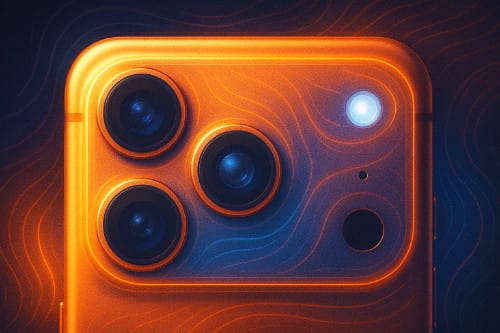
For the first time, every rear camera lands at 48 megapixels: wide, ultra-wide, and telephoto. It’s the most coherent camera lineup Apple’s shipped, and it pays off in two ways. First, color and detail feel more consistent as you hop lenses. Second, Apple leans heavily on confident center-crop pipelines, which enable that attention-grabbing “8× optical-quality” reach without turning textures to watercolor. The tetraprism telephoto sits on a larger, higher-resolution sensor than last year’s, and it shows when you zoom into signage, wildlife, or architectural details. If you’re a travel shooter or you love candid portraits from across the courtyard, this is the first iPhone telephoto that feels like a dependable tool, not a party trick.
Video remains Apple’s home turf. Dual Capture (front and rear), ProRes, and a robust pipeline make the phone an easy “shoot, trim, publish” machine. It’s the sort of practical edge that matters more than a spec sheet if you’re vlogging a winery visit or layering B-roll of waves over voiceover. That versatility means fewer excuses to bring a second camera — and fewer steps between idea and upload.
A quick note on the front camera: Center Stage framing now helps with group selfies and handheld video diaries. It’s a subtle assist, but it saves retakes. Think of it as a tiny, polite director nudging the composition.
The A19 Pro and the coming wave of on-device AI
Benchmarks are only one piece of the story, but they capture the thrust: Apple’s A19 family sets a new high-water mark for single-core efficiency, and the Pro variant is purpose-built for sustained bursts rather than quick sprints. That matters because modern “AI features” aren’t single taps; they’re background model runs, longer transcriptions, and real-time effects that stress thermals. Pair that with iOS 26’s early forays into on-device “intelligence,” and you can see why Apple prioritized a cooler that quietly does the unglamorous work. If you keep phones for three to four years, that headroom is the kind of future-proofing that actually pays off.
In practical terms, that means you can transcribe a long interview in a coffee shop without watching the battery nosedive or the frame rate tank when you open a map. And if Apple’s next-wave features (on-device image generation, smarter video indexing, richer voice synthesis) really land, the 17 Pro is poised to run them locally rather than punting everything to a server.
Display, battery, and day-to-day
The Pro’s OLED still looks superb outdoors, with a friendlier anti-reflective layer that helps in bright beach light. Battery life has crept up again — especially on the Pro Max — and the combination of silicon efficiency and the vapor chamber means your second hour of a task feels a lot like your first. It’s the small, cumulative wins that make a device feel reliable rather than flashy. Specs like the 6.3-inch display, 206 g weight (233 g on Pro Max), and 8.75 mm depth mean it’s still a dense slab, but the balance is good in hand.
The trade-offs: price, repair, and “scratchgate”
Premium pricing remains premium. Start around the thousand-dollar mark and climb fast with storage. If you’ll truly use the camera stack and compute headroom, the math can work. If not, the standard iPhone 17 is very capable for less.
Repairability is still Apple-esque: most jobs route through the display first, and parts pairing nudges you toward official service. You may never crack it open, but it affects total cost of ownership if you keep phones beyond AppleCare.
Then there’s the conversation of the month: scuffing around the “camera plateau.” Independent teardowns and microscope shots suggest the anodized aluminum finish is most vulnerable at sharp bump edges where the coating can flake under abrasion. Apple, for its part, has argued some store-unit marks came from worn MagSafe stands transferring material — which is plausible for certain scuffs, but it doesn’t fully explain the edge wear seen in stress tests. Bottom line: if you’re case-averse, keep this in mind, especially if you value trade-in value later.
Who should upgrade?
If you shoot often (especially portraits, travel, and wildlife), the 17 Pro’s uniform 48 MP lineup and telephoto reach are substantive. If you edit and publish from your phone, the A19 Pro plus vapor cooling is meaningful. And if you want to be early to Apple’s local-AI story, this is the safe bet.
If your use is casual and you’re not zoom-happy, the base 17 will likely satisfy. If you’re sensitive to finish wear and don’t like cases, you might wait a cycle to see if Apple softens those camera-bump edges.
A practical buying guide in one paragraph
Choose iPhone 17 Pro if your camera roll is your portfolio, you edit on the go, and you want silicon that’ll carry the next few years of on-device AI. Choose Pro Max if you prize battery and the biggest canvas. Choose iPhone 17 if you want most of the experience without the price or mass. Whichever you pick, consider a slim case — not for drops, but to protect that camera plateau from the slow grind of pockets, mounts, and countertops.
I sometimes tell friends that phones are like kitchen knives: the right one makes you cook more, not just cut faster. The iPhone 17 Pro is that kind of tool for image-makers and tinkerers. It doesn’t merely benchmark well; it invites you to create more often — and leaves headroom for the smarter workflows Apple hasn’t shipped yet.
One additional note: I don’t think the “Bitcoin Orange” option is just a happy accident!
by Patrix | Sep 9, 2025
Apple’s September 9, 2025, event had all the hallmarks of Cupertino stagecraft: gleaming video montages, big claims about breakthroughs, and that familiar undercurrent of “one more thing.” Yet what struck me most was not the spectacle but the consistency. This year’s announcements weren’t gimmicks. They were Apple’s careful attempt to make its products thinner, smarter, and more integrated into daily life.
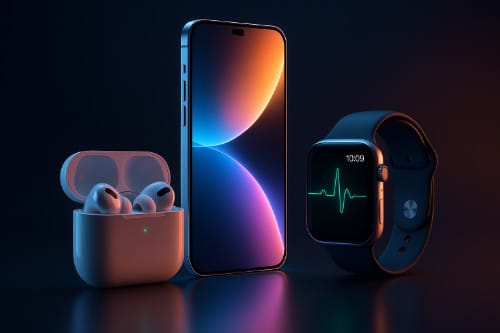
From the ultra-slim iPhone Air to AirPods that double as heart monitors, to watches edging closer to true medical companions, Apple is threading design with health, convenience, and creative potential. For retirees, hobbyist filmmakers, or anyone looking to blend technology with lifestyle, the 2025 lineup is worth unpacking.
iPhone 17 Lineup and the Ultra-Slim iPhone Air
The iPhone Air stole the spotlight. At just 5.6 millimeters thin and weighing 165 grams, it is the slimmest iPhone Apple has ever made. Wrapped in grade-5 titanium, it feels less like a smartphone and more like a precision-milled piece of jewelry. Apple even redesigned the back into a plateau that maximizes battery space while still leaving room for its upgraded cameras.
Despite the diet, the Air doesn’t skimp on display or performance. It sports a 6.5-inch Super Retina XDR screen capable of 120 hertz refresh rates and brightness peaking at 3,000 nits. Ceramic Shield 2 glass on the front and back adds three times the scratch resistance and four times the crack resistance of the previous generation—an acknowledgment that thin should not mean fragile.
Inside, Apple’s new A19 Pro chip drives the show, paired with a C1X modem and N1 networking chip to support Wi-Fi 7, Bluetooth 6, and Thread. The result is a phone that connects faster, streams smoother, and should stay viable through several software generations. Battery life surprised many reviewers: up to 27 hours of video playback on a single charge, extendable to 40 hours with a $99 MagSafe battery pack.
Camera lovers will notice the biggest upgrades. The Air’s 48-megapixel Fusion system simulates the flexibility of multiple lenses without actually having them. Combined with a 12-megapixel telephoto and an 18-megapixel Center Stage front camera, the device also supports dual recording, letting you capture yourself and your subject at once. For storytellers and family archivists, that’s a gift.
The iPhone Air starts at $999 for 256 gigabytes of storage and comes in space black, cloud white, light gold, and sky blue. Preorders begin September 12, with shipments rolling out September 19.
Of course, the Air wasn’t alone. The iPhone 17 keeps Apple’s mainstream audience happy with a slightly larger 6.3-inch display, a 120 hertz panel, and upgraded dual 48-megapixel cameras. Priced from $799 for 256 gigabytes, it hits the sweet spot for most people. The Pro and Pro Max models remain the tools for creators and enthusiasts. Starting at $1,099 and $1,199 respectively, they add vapor-chamber cooling for heavy workloads, tetraprism camera systems with up to 16-times optical zoom, and video capabilities like ProRes RAW and GenLock synchronization.
AirPods Pro 3: Your Earbuds, Now with a Pulse
Apple’s wireless earbuds have long been the company’s stealth success story. This year’s AirPods Pro 3 take them into new territory. Yes, they sound better—the active noise cancellation is now billed as “the world’s best,” twice as effective as the previous model and four times more than the original. But the bigger story is health.
Each pair comes with a built-in photoplethysmography (PPG) sensor, which uses subtle light changes to monitor your heart rate. Paired with the Fitness app, the earbuds can track over 50 workout types. Imagine going for a morning walk, podcast in your ears, while your heart rate is quietly logged without needing a watch. For people who find wearables intrusive, this is a clever alternative.
Then there’s the translation feature. Apple has introduced live translation that plays spoken words directly into your ear and offers transcription on your device. For travelers or bilingual families, that could be transformative.
Comfort has been refined as well. Apple scanned over 10,000 ears to design new foam-infused tips, adding an extra-small size to make the fit more universal. Durability gets a bump with IP57 water resistance. Battery life stretches to eight hours on a charge and about 30 hours with the case—a 33 percent improvement. Pricing stays at $249, with availability starting September 19.
Apple Watch: Health on Your Wrist
Apple’s watch lineup this year shows a clear focus on health. The entry-level SE 3, priced at $249, now offers an always-on display, a faster S10 chip, and sleep apnea detection. It can also provide retrospective ovulation estimates, wrist temperature sensing, and new double-tap and wrist-flick gestures for quick navigation. Fast charging means 15 minutes on the puck gives you about eight hours of use, while a full charge lasts 18 hours. It runs watchOS 26, which introduces the fluid new Liquid Glass interface and tighter integration with Apple Intelligence.
The Series 11, starting around $399, pushes into medical territory with hypertension alerts and more advanced sleep metrics. It’s thinner, tougher, and designed to withstand daily wear without losing polish.
The Ultra 3, Apple’s rugged flagship at $799, adds satellite connectivity for emergencies, extended low-power mode lasting up to 72 hours, and a build aimed at adventurers. For hikers, divers, or anyone who likes to wander outside the range of cell towers, this is the watch you want on your wrist.
Why It All Matters
Apple’s 2025 event didn’t introduce wild surprises. Instead, it polished the formula: thinner phones that still last all day, earbuds that blend entertainment with wellness, and watches that inch closer to becoming medical companions.
The iPhone Air proves that thin doesn’t have to mean compromised—an ultra-portable device that still packs professional-grade hardware. AirPods Pro 3 show Apple’s knack for embedding health features in accessories we already use daily. The watch lineup demonstrates that health tracking is no longer an add-on; it’s the main event.
Underneath it all is Apple Intelligence and the new Liquid Glass interface, weaving a subtler kind of AI into the experience. Rather than demanding your attention, it quietly adapts, offering context, translation, or workout guidance when needed.
by Patrix | Jun 21, 2025
It’s a quiet evening. You kick back on the couch, fire up your favorite show, and settle into a cozy binge session. But while you’re watching Silo (or reruns of Justified — no judgment), your TV might be watching you right back.
Smart TVs have revolutionized how we consume media — streaming, voice control, endless apps. But they also come with a not-so-smart tradeoff: privacy. Behind those big glossy screens are some rather nosy technologies, especially ACR (Automatic Content Recognition), silently logging what you’re watching and sending that data to third parties. Here’s what’s really going on, and what you can do about it.
What Is ACR?
ACR stands for Automatic Content Recognition. It’s a technology embedded in many modern smart TVs that can identify what content is playing on your screen — whether you’re watching cable TV, streaming from a service, playing a DVD, and even mirroring content from your laptop.
How does it work? ACR typically uses one of two techniques:
- Video Fingerprinting: This scans tiny visual samples of what’s on screen, compares them to a database, and identifies the show or ad or content.
- Audio Fingerprinting: This “listens” to your TV and identifies what’s playing based on sound snippets.
Even if you’re not signed into anything, and even if you’re playing content through an HDMI port from a separate device, ACR can often still pick it up.
This data — what you watch, when you watch it, how long you watch — is packaged and sold to advertisers, analytics firms, and sometimes even political data operations. You didn’t think that free operating system came without strings, did you?
What Else Is Your TV Collecting?
In addition to ACR, smart TVs may gather:
- Device and household data: IP address, geolocation, Wi-Fi network, device identifiers.
- Voice data: If your TV includes voice commands or a virtual assistant, it might be recording or transmitting snippets of speech.
- App usage: Which apps you open, how often you use them, and what content you browse within them.
- Input tracking: What you click on using your remote, how you navigate menus, and even how long you pause while browsing.
Some TV manufacturers also partner with third-party data brokers and ad networks to create detailed viewer profiles — connecting your TV habits with your online activity.
Who’s Doing the Watching?
Some of the biggest culprits include:
- Vizio: Famously fined by the FTC in 2017 for tracking user data without proper consent.
- Samsung: Uses voice and viewing data in some of its advertising platforms.
- LG, Roku, and others: Also include ACR tech and often have user tracking turned on by default.
To be fair, these companies often bury an opt-in (or opt-out) in their setup screens or privacy policies. But many users breeze through those prompts without realizing what they’re agreeing to.
Why Are They Doing It?
In a word: advertising.
ACR and similar technologies allow brands to:
- Measure the effectiveness of their TV ads.
- Retarget you with online ads based on what you watch.
- Sell insights about audience behavior to marketers and data brokers.
In other words, it’s less about improving your TV experience and more about squeezing value out of your attention.
At least, at this point, it seems like advertising is the main reason. But at this point, user-profiling can be used in many more nefarious ways.
How to Opt Out and Take Back Control
Good news: You can limit this tracking — though it may take a few clicks.
- Turn off ACR manually: Dig into your TV’s privacy settings. Look for anything labeled “Viewing Information,” “Smart Interactivity,” or “Automatic Content Recognition,” and disable it.
- Disconnect from Wi-Fi (if possible): If you use a streaming stick or external box, your TV doesn’t need to be online at all.
- Use a privacy-focused streaming device: Devices like Apple TV have more transparent privacy controls and don’t use ACR in the same way.
- Block data tracking at the router level: Some routers let you block specific domains or IP addresses tied to tracking services.
- Enable ‘Limit Ad Tracking’ settings: Some smart TVs allow you to reduce ad personalization — it’s not perfect, but it’s something.
The Tradeoff Between Convenience and Control
Smart TVs are like Trojan horses for ad tech. They offer a sleek interface, built-in streaming, and voice features, but they also sneak in powerful surveillance capabilities. Much like smartphones or social media, these conveniences come at the cost of your data — and ultimately, your autonomy.
So the next time you click “Agree” during setup, take a moment. Because in the golden age of TV, privacy might be the real cliffhanger.
Want to Go Deeper? Check Out the Ludlow Institute
While I’m a big fan of new and cool tech, I am also aware of how important it is to stay informed about the potential pitfalls and dangers.
If you’re curious about how technology is shaping (and sometimes eroding) our autonomy, the Ludlow Institute is worth a visit. This independent research center explores how digital systems affect privacy, civic agency, and psychological freedom. It’s a rare space where technologists, ethicists, and artists come together to ask — and answer — the big questions about living well in a hyperconnected world.
The Institute’s work spans:
- Investigating surveillance capitalism and algorithmic influence
- Hosting public workshops and lectures on digital self-defense
- Publishing accessible guides on how to reclaim control over your digital life
It’s like the digital age’s version of a lighthouse — helping you spot hidden dangers and chart a wiser course through the stormy waters of modern tech.
by Patrix | Jun 2, 2025
What happens when the design visionary behind the iPhone teams up with the most forward-facing leader in artificial intelligence? You get a project that may very well rewrite how we relate to our devices—and perhaps even reimagine what a “device” is.
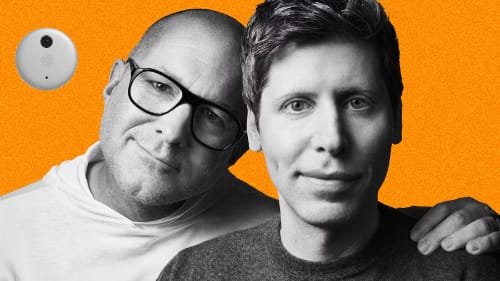
OpenAI’s CEO Sam Altman and former Apple chief design officer Jony Ive have quietly been working on a new kind of AI gadget, and while the details are still under wraps, what’s emerging is nothing short of a tectonic shift in how we interact with computing. Their goal? A screenless, intuitive AI companion that could make today’s smartphones feel like relics.
The Birth of a New Category
Unlike smartphones, tablets, or even smartwatches, this new device aims to be something altogether different: a context-aware, voice-first AI assistant that requires no screen and minimal input. It won’t replace your laptop or phone but instead slip into the space between them—a quiet, ever-present companion. Think of it as a kind of AI whisperer, always listening, always ready, but never in your face.
According to leaks and reports from The Verge and AppleInsider, this project is not just a moonshot—it’s already backed by billions. OpenAI acquired Ive’s hardware startup, “io,” with funding reportedly in the range of $6.5 billion. That’s a serious commitment to a future where ambient, AI-first computing is the norm.
What Might It Look Like?
While we don’t have official images, concept renderings suggest a device about the size of an iPod Shuffle, perhaps worn around the neck or clipped to clothing. Others imagine a disc-shaped object sitting quietly on a desk, always listening, always ready. Some even speculate a pendant-style form factor—minimalist, tactile, and elegant. You won’t be scrolling through it. You’ll be talking to it.
Designer Ben Geskin shared speculative visuals on X (formerly Twitter) that highlight the possibilities: sleek aluminum bodies, subtle LED indicators, a wearable loop. What’s clear is that the device is meant to be as invisible as possible. Its intelligence will come not from what it shows, but from what it understands—about you, your surroundings, and your needs in real time.
Back to the Future of Interaction
Jony Ive and Sam Altman are both well known for questioning the status quo. Ive has often spoken about the “tyranny of the screen” and the addictive behaviors modern smartphones encourage. Altman, meanwhile, has spent years envisioning what it means for artificial intelligence to become not just a tool, but a partner. Their collaboration is about creating a new kind of interface—one where the user is liberated from the glass rectangle.
It’s also a rebuttal to the current trend of “bigger and better” displays. In their eyes, the next wave of progress means fewer buttons, fewer distractions, and more ambient intelligence. AI that works in the background, not on your retina.
The Shrinking of the Interface
This device is part of a much larger trend: the miniaturization of intelligence. As chips get smaller, sensors more sophisticated, and AI models more efficient, the idea of the “device” begins to blur. Today, we carry smartphones. Tomorrow, we might wear pendants. And soon after, we may simply embed the intelligence into ourselves—glasses, earbuds, even neural implants.
We’re moving down a trajectory where AI assistants might ultimately vanish from view altogether. Today’s iPhone was yesterday’s iMac, and tomorrow’s AI interface may be no more visible than a hearing aid. In that light, the Altman-Ive device feels like a bridge—a necessary stepping stone between screen-based computing and truly ambient intelligence.
What Will It Do?
The core functionality of the device seems centered around contextual awareness. It will use microphones (and possibly cameras) to take in ambient information—your tone of voice, your surroundings, your habits—and offer intelligent assistance without needing prompts. Imagine walking into your kitchen and saying, “What should I cook for dinner with what I’ve got in the fridge?” Or getting a quiet reminder as you leave the house: “Don’t forget your umbrella, rain is due in 20 minutes.”
Unlike a phone or smart speaker, this device won’t wait for you to summon it—it will proactively assist, like a digital valet. It also won’t assume you want a screen-based answer. It may whisper suggestions through a bone-conduction speaker or tap into nearby screens when visuals are required.
Privacy and Ethics in a World of Always-On AI
Of course, a device that is always listening raises privacy concerns. Both Altman and Ive have spoken publicly about the need for strong ethical frameworks in AI and design. The challenge here will be enormous: How do you create a device that listens without intruding? That watches without storing? That helps without surveilling?
It’s likely this product will come with strict privacy protocols, local processing where possible, and clear user controls. But given OpenAI’s increasingly vast training data needs and the device’s potential as an always-on microphone, the public’s trust will be both hard-earned and crucial.
The Broader Impact
If successful, the Altman-Ive device could do for AI what the iPhone did for mobile computing: create a new category. Competitors like Humane and Rabbit are already in this space, but none carry the same design pedigree or AI muscle. We could be witnessing the dawn of a new kind of interface war—not over screen size or megapixels, but over presence, subtlety, and contextual intelligence.
Is This the Next Big Thing?
Possibly. This collaboration taps into something deeper than tech trends—it taps into our desire for simplicity, for elegance, for technology that disappears rather than dominates. And it nudges us toward a future that’s long been whispered about in science fiction: AI not as a thing we use, but a presence we live with.
From the desktop to the pocket, and now perhaps to the pendant—or even the bloodstream—intelligence is becoming smaller, quieter, and more intimate. The Altman-Ive AI device isn’t just about inventing a gadget. It’s about reimagining our relationship with technology entirely.
And if history is any guide, when Jony Ive designs something new and Sam Altman trains its brain… we’d be wise to pay attention. I want one!
by Patrix | May 14, 2025
You wouldn’t leave a gold bar on your kitchen counter, right? So why would you leave your Bitcoin sitting on an exchange or in a hot wallet that’s always online?
If you’re serious about crypto—especially as a long-term holder—cold wallets are the digital equivalent of a high-security vault. In this article, we’ll walk through what they are, why they matter, best practices for using them, and how the top cold wallets stack up in 2025.
What Is a Cold Wallet?
A cold wallet is a type of Bitcoin wallet that is not connected to the internet. It stores your private keys offline, drastically reducing the risk of hacks, phishing, and malware.
Why Use a Cold Wallet?
- Protection from hackers: If it’s offline, it can’t be remotely hacked.
- Self-custody: You hold your private keys, not some third-party exchange.
- Resilience: Immune to exchange failures (FTX, anyone?).
- Long-term storage: Ideal for HODLing without worry.
- If you believe in “not your keys, not your coins,” cold storage is your insurance policy.
Best Practices for Cold Wallet Use
Before we get into the gear, here are some time-tested tips:
- Buy directly from the manufacturer: Avoid resellers to prevent tampering.
- Backup your seed phrase (preferably offline, ideally etched in metal).
- Use a passphrase (but don’t forget it—it’s not recoverable).
- Keep your device offline unless signing transactions.
- Don’t take photos of your seed phrase (no, not even “just once”).
The Top Cold Wallets of 2025: Compared
Let’s size up the current heavyweights: Tangem, Ledger, Trezor, and ColdCard.
1. Tangem Wallet (Card-Based Simplicity)
What it is: A smartcard-style wallet that stores keys in a secure chip, used via NFC with your phone.
Pros:
- Extremely easy to use—ideal for beginners.
- No seed phrase to write down (uses backup cards instead).
- Truly “set and forget.”
Cons:
- Trust model depends on their chip provider and firmware transparency.
- Limited transparency vs. fully open-source wallets.
Best for: Casual users or gift-giving, but not for deep cold storage.
2. Ledger Nano X
What it is: A sleek, Bluetooth-enabled hardware wallet with a built-in battery and mobile support.
Pros:
- Very portable and easy to pair with smartphones.
- Secure Element chip for hardware-based protection.
- Supports a wide range of cryptocurrencies.
Cons:
- Firmware is not fully open-source.
- Past controversy around “Ledger Recover” shook community trust.
Best for: Multi-asset users who prioritize convenience and mobility.
3. Trezor Safe 3
What it is: Trezor’s latest wallet, featuring a Secure Element chip and USB-C support.
Pros:
- Combines open-source firmware with modern hardware security.
- Offers a Bitcoin-only version for purists.
- Excellent transparency and usability.
Cons:
- No touchscreen.
- No Bluetooth (which could be a plus for security-focused users).
Best for: Users who value transparency, open-source ethics, and straightforward cold storage.
4. ColdCard Mk4
What it is: Bitcoin-only wallet designed for maximum privacy and air-gapped use.
Pros:
- Completely air-gapped via microSD.
- Built with multisig and PSBT workflows in mind.
- Fully open-source and security-obsessed.
Cons:
- Intimidating for beginners.
- UI feels like a throwback to early computing.
Best for: Advanced users, cypherpunks, and Bitcoin maximalists.
Which Cold Wallet Is Right for You?
It depends on your comfort level, goals, and geek quotient:
- Just getting started? Try Tangem or Ledger Nano X.
- Want transparency with modern security? Go with Trezor Safe 3.
- All in on Bitcoin and privacy? You’ll love ColdCard Mk4.
But no matter what you choose, here’s the real win: You’re moving your Bitcoin off exchanges and into your own custody. That’s where it belongs.
Still storing your Bitcoin on an exchange? Now’s the time to take control. Pick a wallet that matches your style and secure your future. Got questions? Drop a comment or message us at ArtsyGeeky—we’re always up for a good wallet debate.