by Patrix | Oct 13, 2025
It used to be easy to spot a crypto scam. The fake websites were clunky, the “support agents” barely coherent, and the grammar was a dead giveaway. But 2025 has ushered in a darker, more sophisticated era. Today’s scams don’t look fake; they sound and feel real. They speak in familiar tones, reference your past transactions, and even mimic the voices of people you trust.
Welcome to the world of AI-powered fraud, where deepfakes, cloned voices, and generative chatbots are turning digital deception into a scalable industry.
The New Breed of AI-Fueled Crypto Scams
A few years ago, most crypto scams came as poorly written emails promising free Bitcoin. Then came fake Telegram groups, phishing links, and imposter influencers. Now, the game has changed entirely.
Scammers have begun using large language models (LLMs) to generate realistic chat conversations and voice cloning software to call victims directly. One high-profile case involved a deepfake “Coinbase support agent” who convinced users to “verify” their wallet access, only to drain their funds. Another used an AI-generated video of a well-known crypto YouTuber promoting a non-existent “AI token.” The production quality was so convincing that even his long-time subscribers were fooled.
We’re witnessing the merging of two forces: AI’s ability to imitate human trust signals and crypto’s irreversible, high-stakes nature. Once your digital assets are gone, they’re gone.
Why These Scams Are So Convincing
Traditional scams relied on social engineering — getting someone to click a link or reveal a password. AI has made that manipulation feel eerily human.
- Voice cloning allows scammers to reproduce speech patterns, accent, and even laughter.
- LLM chatbots can carry on long, emotionally calibrated conversations.
- Generative images and video can create false “proof of identity” documents that pass basic KYC checks.
In essence, AI has turned the scammer’s toolkit into a full-fledged studio of deception. The irony isn’t lost on the creative community: the same tools that help artists generate realistic portraits or 3D textures are now being weaponized by criminals. It’s a powerful reminder that technology itself isn’t moral or immoral — it’s the human intent behind it that matters.
The Psychology Behind the Scam
Most of these new scams don’t rely on technical exploits; they exploit emotions. AI can identify your stress patterns, your FOMO triggers, even your patience level — and tailor its persuasion accordingly.
A deepfake “customer support” agent might sound empathetic when you express frustration or stern when you hesitate. The scam adjusts in real time, guided by emotion-detection algorithms. It’s digital manipulation at scale.
What’s chilling is how personal it feels. These bots don’t just sound real — they feel like they care. And when you’re dealing with something as volatile as crypto markets, that illusion of reassurance can be dangerously persuasive.
Artists and Creators: You’re Now Targets Too
For artists and digital creators, the risks go beyond stolen wallets. Scammers are increasingly targeting the creative community with fake “AI art contests,” gallery collaborations, or NFT showcases that require wallet connections or “submission fees.”
Others impersonate curators or influencers, offering partnership deals via email or DMs. Some even create AI-generated versions of real art dealers, complete with profile photos, bios, and recent posts — all scraped and synthesized from social media.
Another growing trend is the “AI feedback scam.” Artists receive messages claiming to offer “AI-powered portfolio reviews.” The link they share looks professional but leads to a credential-harvesting site.
Rule of thumb: if someone you don’t know offers to “collaborate,” “sponsor,” or “verify,” stop and verify them first through a known official channel — never via the link they send.
Practical Defense: Your AI Scam Survival Kit
There’s no silver bullet, but you can make yourself a hard target. Here’s a simple self-defense kit for creatives and investors alike:
- Use separate wallets — one for experiments, one for storage. Never connect your primary wallet to new projects.
- Enable multi-factor authentication on all crypto and email accounts.
- Don’t trust voice or video alone. Verify identity through written, platform-linked messages.
- Slow down. Scammers thrive on urgency. A pause is the best security feature you have.
- Bookmark official URLs. Never follow links from messages, even if they look familiar.
- Learn to read tone. AI-generated texts are often overly formal, polite, and “perfect.” Humans rarely sound like that.
And if you want an extra layer of vigilance, tools like Deepware Scanner and Hive Moderation can help detect AI-generated voices and images. It’s not foolproof, but it’s progress.
How AI Is Fighting Back
Fortunately, the same technology that enables scams is also being used to fight them.
Blockchain analytics firms like Chainalysis and Elliptic are training AI models to detect fraudulent transaction patterns faster than any human could. Exchanges are experimenting with voiceprint verification — using your unique vocal signature as a biometric key.
Meanwhile, projects like World ID and Civic are exploring “proof-of-personhood” systems, aiming to distinguish real humans from synthetic agents on the blockchain. These won’t eliminate scams entirely, but they could make it much harder to impersonate legitimate users.
According to Chainalysis, AI-enhanced crypto scams have grown by over 40% this year; but AI-based detection and auditing tools have improved nearly as fast. It’s a digital arms race, and awareness remains our best weapon.
The Human Element
The most powerful defense still isn’t a piece of software; it’s the person behind the screen. The scammers are counting on speed, fear, and confusion. What they can’t outsmart is patience, curiosity, and human intuition.
Before clicking a link, pause. Before responding to a “support call,” breathe. Before sharing your credentials, ask yourself: Would a real company ever ask for this?
The truth is, AI is neither hero nor villain. It’s a mirror. It reflects whatever intent we bring to it. As artists, investors, and creators, our best path forward isn’t paranoia — it’s awareness.
Maybe the most intelligent thing we can do in this new digital age is the simplest of all: slow down and think.
by Patrix | Sep 4, 2025
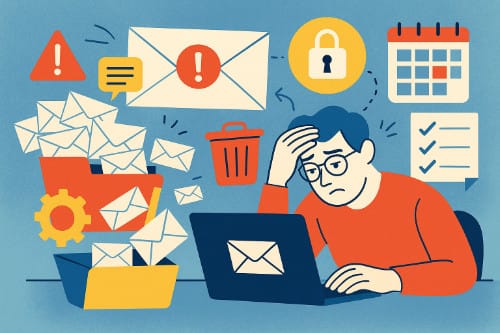
For many small businesses, email is both a lifeline and a headache. It’s where sales leads arrive, invoices get tracked, and client relationships live or die. But it’s also where clutter builds up, spam sneaks in, and productivity quietly drains away.
Most small business owners don’t have an IT department or fancy systems to manage email. They’re often juggling accounts while trying to run the business itself. The result? An inbox that feels more like a problem than a tool.
Let’s break down the most common email challenges small businesses face — and more importantly, how to fix them.
Inbox Overload
Ask any small business owner about their inbox, and you’ll probably hear a sigh. Everything lands in the same place: client requests, vendor updates, receipts, newsletters, and spam. The signal-to-noise ratio gets overwhelming fast.
The danger is that important emails get buried. A missed client message or late invoice reply can cost real money.
Fix it:
- Use filters and labels to automatically sort incoming mail.
- Create a dedicated email for newsletters and sign-ups, separate from your main business account.
- Schedule two or three times a day to check email, instead of reacting instantly to every ping.
Poor Organization and Workflow
Email is a communication tool, but small businesses often use it as a project management system. That’s when the problems start: forwarded threads 15 messages deep, attachments lost in old chains, or three people responding differently to the same customer question.
Fix it:
- Use collaboration tools like Slack, Trello, or Asana for internal communication.
- Keep email focused on external conversations with clients, partners, and vendors.
- If you must manage tasks via email, look at add-ons like Google Workspace tools or plugins that turn messages into to-dos.
Security Risks
Hackers love small businesses. Why? Because they’re less likely to have strong security practices in place, but still handle valuable data. A phishing email that tricks one employee could compromise bank details, customer records, or your reputation.
Fix it:
- Turn on multi-factor authentication (MFA) for all accounts.
- Train employees to spot suspicious emails, like strange links or attachments.
- Consider a secure service like ProtonMail for sensitive communications.
Unprofessional Communication
First impressions matter — and your email habits say a lot about your business. A generic Gmail address (mybusiness123@gmail.com), sloppy subject lines, or one-line replies without context can make a business look less credible than it deserves.
Fix it:
- Use a custom domain (e.g., yourname@yourbusiness.com). Services like Google Workspace or Fastmail make this easy.
- Create a professional signature with your name, role, and website link.
- Take a moment to write clear subject lines. “Invoice #456 due July 1” is far better than “Hi.”
Spam and Deliverability
Spam is more than a nuisance. It wastes time, increases the chance of missing real messages, and sometimes hides malware. On the flip side, small businesses often struggle with their own deliverability. Emails they send — especially newsletters or invoices — end up in a client’s spam folder, never to be seen.
Fix it:
- Use strong spam filters (both Gmail and Outlook have good ones).
- If you send bulk emails, use a trusted service like Mailchimp, ConvertKit, or Brevo to improve deliverability.
- Keep your email lists clean, and avoid practices (like sending attachments to large groups) that trigger spam filters.
Too Much Time in the Inbox
Email can feel productive, but constant checking is one of the biggest productivity traps. Many small business owners spend hours reacting to emails instead of working on tasks that actually grow the business.
Fix it:
- Batch your email time: morning, after lunch, and before closing.
- Turn off push notifications.
- Use “snooze” and “schedule send” features to keep control instead of reacting instantly.
Overreliance on Email Alone
For many small businesses, email becomes the “Swiss Army knife” of communication: it’s used for scheduling, file sharing, customer support, and collaboration. The problem is, email wasn’t designed for all that. It gets messy, fast.
Fix it:
- Use calendar tools for scheduling (Calendly, Google Calendar).
- Use cloud storage (Dropbox, Google Drive) for file sharing.
- Consider customer support software (like Help Scout or Zendesk) instead of trying to manage service requests in a shared inbox.
Rethinking Email for Small Businesses
The truth is, email isn’t going anywhere. It remains the backbone of professional communication. But small businesses don’t need to let it become a burden. With a few simple systems — filtering, better tools, security practices — email can shift back into being a helpful tool instead of a daily battle.
For entrepreneurs, freelancers, and small teams, getting email under control is like tuning up a car engine: suddenly, the ride is smoother, faster, and a lot less stressful. And that leaves more energy for the actual work of running and growing the business.
To get you started on your process for streamlining your small business email system, here’s a very simple step-by-step procedure. Use this simple, actionable checklist to evaluate and solve the most common email problems in any small business. Work from top to bottom, and keep notes on owners, due dates, and quick wins.
Hope this helps, and good luck!
Small Business Email Fix-It Playbook
Phase 1 — Evaluate (What’s Broken?)
1. Inventory the accounts
- List every address, alias, and shared inbox (e.g., hello@, support@, billing@).
- Record where each address forwards and who owns it. Note backup owners.
2. Map the message flow
- Sample one recent week and estimate the mix: sales, support, finance/invoices, vendors, newsletters, internal, spam.
- Identify top three sources of noise and top three message types that require fast responses.
3. Assess security posture
- Confirm a password manager is used for all business logins.
- Enable multi-factor authentication (MFA) on every mailbox and admin account.
- Verify offboarding steps exist: password resets, token revokes, forwarding removed.
4. Check deliverability basics
- Verify DNS records for SPF, DKIM, and DMARC.
- If you send newsletters or promos, confirm a reputable ESP is used and the domain is verified/warmed.
Phase 2 — Fix (Make It Sane)
5. Choose an inbox architecture
- Solo operator: one primary inbox with smart filters.
- Small team: shared addresses (support@, sales@) managed in a shared inbox or light helpdesk.
- Define ownership and backups for each address. Publish response SLAs.
6. Design a simple label/folder system
- Keep 5–7 top-level buckets (Sales, Support, Finance, Vendors, Admin, HR).
- Add status labels that cut across buckets: Action, Waiting, Scheduled, Archive.
7. Automate the intake
- Create rules to route invoices and receipts to Finance.
- Send newsletters to a Read/Later label or a separate mailbox.
- Tag VIP clients and pin or star them automatically.
- Auto-archive high-volume notifications after labeling.
8. Standardize communication
- Adopt subject formats like
[Client] – Topic – Action (e.g., Acme – Q4 Renewal – Signature Needed). - Create 6–10 canned replies: new lead, quote sent, invoice attached, ETA update, meeting follow-up, support received, escalation, closure.
- Use a unified signature: name, title, site, phone, one key link.
9. Clean the backlog fast
- Bulk-archive messages older than 60–90 days that are not VIP/Finance/Legal.
- Unsubscribe from low-value senders and block repeat offenders.
- Move needed attachments to Drive/Dropbox with a clear folder scheme, then archive the thread.
10. Right-tool the jobs email struggles with
- Scheduling: booking links via Calendly or Google Calendar appointment slots.
- File sharing: Drive or Dropbox links instead of bulky attachments.
- Customer support: Help Scout, Zendesk, or Front with assignments and SLAs.
- Sales tracking: a lightweight CRM instead of buried threads.
Phase 3 — Maintain (Keep It Tidy)
11. Adopt a daily triage routine
- Batch email 2–3 times daily.
- For each message: Do (≤2 minutes), Delegate, Defer (snooze or task it), or Delete/Archive.
- Keep only Action, Waiting, and Scheduled visible.
12. Track simple weekly metrics
- Average first-response time to customers.
- Unread count at end of day.
- Percent of messages auto-labeled or filtered (aim to increase).
- Deliverability signals if you send campaigns (bounces and spam complaints).
13. Quarterly security and compliance tune-up
- Rotate any remaining shared passwords or replace with individual accounts.
- Remove access for former staff and contractors.
- Re-check SPF, DKIM, and DMARC; confirm retention policy and legal holds.
- Run a short phishing awareness refresh.
Role Assignments for Tiny Teams
- Owner: sets architecture and SLAs; reviews metrics weekly.
- Inbox Captain: maintains filters, templates, and shared inbox hygiene; coaches the team.
- Finance Lead: safeguards invoices and receipts; ensures vendor and client billing emails are answered.
What “Good” Looks Like
- Every address has a named owner and a backup.
- At least 70% of incoming mail is auto-sorted; VIPs are never buried.
- Customers receive replies within your stated SLA without heroics.
- MFA everywhere, clean offboarding, and authenticated domain records.
- Email is a communications hub; scheduling, support, files, and sales live in the right tools.
by Patrix | Jun 23, 2025
Mycologists rejoice! Growing mushrooms at home has gone mainstream—and it’s getting a tech upgrade. Forget musty kits shoved in dark closets. Today’s mushroom-growing gear blends sensors, automation, and science-lab precision to help even beginners cultivate gourmet fungi with near-magical consistency. Whether you’re craving lion’s mane for your nootropic smoothie or just want to impress guests with home-grown oyster mushrooms, the future of fungi is fresh, smart, and kind of beautiful.
What’s New in Home Mushroom Tech
Mushroom cultivation is all about maintaining very specific conditions: temperature, humidity, airflow, and light. Too dry? No mushrooms. Too warm? Contamination. It’s a Goldilocks zone of biology, and until recently, that meant constant babysitting or messy DIY fixes.
Today’s tech? It’s practically plug and play. Here’s what’s new:
1. Smart Mushroom Fruiting Chambers
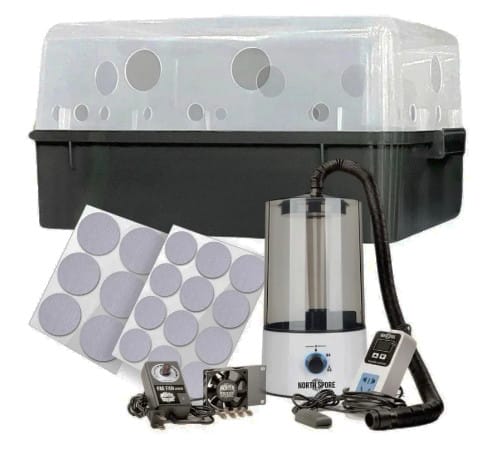
Modern mushroom fruiting chambers—also known as “grow boxes”—now come equipped with IoT (Internet of Things) tech. These sleek countertop units monitor and automatically adjust humidity, temperature, and airflow. Think of it like a terrarium crossed with a wine fridge.

The automated BoomerBin monotub
2. Sensor-Based Environmental Monitors
If you like geeking out on data, you can outfit your grow setup with Bluetooth sensors to log humidity, temp, and CO₂ levels. Tools like SensorPush or Govee can send alerts to your phone if your mushrooms are in trouble.
3. Automated Misting & Air Exchange
Ultrasonic humidifiers controlled by smart switches (like Kasa Smart Plugs) can mist your mushrooms on a schedule. Pair it with a small fan on a cycle timer, and you’ve got airflow and humidity dialed in without lifting a finger.
Bonus: You can control it all from your phone—or even integrate it into a smart home system with voice commands. “Alexa, mist the mushrooms.”
4. High-Tech Spawn and Substrate Innovations
Even the substrates (growing medium) are getting a glow-up. Companies now sell sterilized substrate bags pre-inoculated with gourmet strains, sealed and ready to fruit. Some include injection ports and air filters for clean airflow and reduced contamination.
Cool tech note: Some growers are experimenting with liquid culture syringes grown in lab-like conditions to ensure genetics are clean and strong—kind of like sourdough starter, but for mushrooms.
5. AI and App Guidance
Platforms like Shroomify or MushroomGrowerPro offer strain-specific grow schedules and alerts, guiding users with step-by-step instructions. Some integrate with smart sensors to provide recommendations based on your live data—“Your humidity is a bit low for pink oyster. Consider misting more frequently.”
It’s like having a mushroom consultant in your pocket.
What Can You Grow?
With these tools, the home grower isn’t limited to button mushrooms. Some popular choices:
- Oyster (blue, pink, golden) – Fast and forgiving
- Lion’s Mane – Great for brain health, super fuzzy and dramatic
- Shiitake – Rich, meaty flavor, but needs patience
- Enoki – Beautiful, but delicate conditions
- Reishi – More medicinal than culinary, looks like antlers
Then there are the nootropic options, which for obvious reasons I won’t detail here. But the same basic knowledge, tech and know-how applies.
A Quick Anecdote from the Garden Lab
Last winter, I set up a small box on my kitchen counter with a simple growbag that was inoculated with Lion’s Mane. I grew a flush of Lion’s Mane mushrooms that looked like white coral reefs. In about 14 days, I had a large cauliflower-sized growth. I sliced it up and sauteed in a little garlic and butter and YUM!
Whether you’re a curious cook, a health nut, a psychonaut, or just like weird science experiments that you can eat, the tech is ready for you.
by Patrix | Jun 16, 2025
This is the time of year that backyard tomato growers are nurturing their plants and hoping for a large and delicious yield. If your tomato plants are lush and leafy but skimping on the fruit, you’re not alone. Growing tomatoes can sometimes feel like you’re giving a lot of love but not getting much in return. There are a few strategic tricks that I have discovered that can dramatically boost your tomato yield — including one surprisingly effective hack that involves a humble electric toothbrush.
Let’s walk through a few proven methods to coax more tomatoes from your plants.
1. Prune for Power
Tomato plants are naturally vigorous, often growing a wild tangle of stems and leaves. But all that leafy energy can come at the expense of fruit production. That’s where pruning comes in.
By removing the “suckers” — those little shoots that grow in the crook between the main stem and a branch — you’re helping the plant focus its energy on the main stems and fruit clusters. Pruning also improves airflow, reducing disease risk and allowing sunlight to reach the inner branches. Healthier plant, more tomatoes.
2. Feed Like You Mean It
Tomatoes are hungry. To get high yields, you’ve got to keep them well-fed — but not just any fertilizer will do.
- Start with a balanced fertilizer when transplanting (like 10-10-10).
- Once the plant starts flowering, switch to a low-nitrogen, high-phosphorus formula (like 5-10-10).
Too much nitrogen = lush leaves and very few tomatoes. Phosphorus encourages flowering and fruiting. Think of it as a shift in diet once your plant hits puberty.
3. Stress Just a Little (But Not Too Much)
This one sounds counterintuitive, but slight water stress can encourage tomato plants to fruit. When the plant senses a tough season ahead, it shifts into survival mode — producing fruit and seeds to reproduce.
Don’t let your plant wilt or dry out completely, but slightly reducing watering once the fruit sets can prompt more consistent ripening and bigger yields.
4. The Ingenious Electric Toothbrush Trick
Tomatoes are self-pollinating, which means they technically have both the male and female parts on the same flower. But for successful fruit set, the pollen still needs to move — and in nature, bees or the wind usually help.
Enter: the electric toothbrush.
Yep, that $20 multipack from Costco might be the best tomato tool you own. Here’s how it works:
- Wait until your tomato plants are flowering.
- Turn on the toothbrush and gently touch it to the flower stem, not the petals themselves.
- Just a couple of seconds per flower cluster will do. The vibration shakes loose the pollen, simulating the buzz of a bee.
This method — sometimes called buzz pollination — dramatically increases fruit set, especially in greenhouses or in calm weather where natural pollinators are scarce.
I tried this last summer on a few Cherokee Purple plants that weren’t producing. After giving each flower a quick buzz every morning, I had more tomatoes than I knew what to do with. It’s simple, cheap, and oddly satisfying.
A few flowers a day, a few seconds per cluster — and suddenly you’re a tomato whisperer. Add that to smart pruning and the right fertilizer, and you’ll be hauling in baskets of ripe, juicy tomatoes in no time.
I still plant pollinator flowers throughout my garden to encourage nature to do its thing. But sometimes a clever hack can make a big difference.
Happy tomato-ing!