
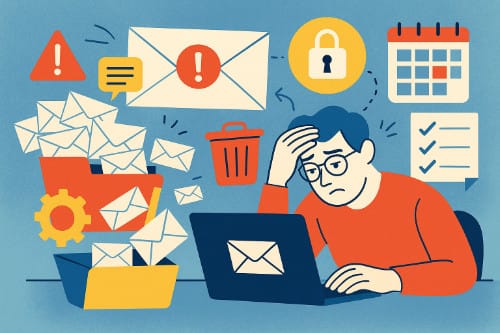
For many small businesses, email is both a lifeline and a headache. It’s where sales leads arrive, invoices get tracked, and client relationships live or die. But it’s also where clutter builds up, spam sneaks in, and productivity quietly drains away.
Most small business owners don’t have an IT department or fancy systems to manage email. They’re often juggling accounts while trying to run the business itself. The result? An inbox that feels more like a problem than a tool.
Let’s break down the most common email challenges small businesses face — and more importantly, how to fix them.
Inbox Overload
Ask any small business owner about their inbox, and you’ll probably hear a sigh. Everything lands in the same place: client requests, vendor updates, receipts, newsletters, and spam. The signal-to-noise ratio gets overwhelming fast.
The danger is that important emails get buried. A missed client message or late invoice reply can cost real money.
Fix it:
- Use filters and labels to automatically sort incoming mail.
- Create a dedicated email for newsletters and sign-ups, separate from your main business account.
- Schedule two or three times a day to check email, instead of reacting instantly to every ping.
Poor Organization and Workflow
Email is a communication tool, but small businesses often use it as a project management system. That’s when the problems start: forwarded threads 15 messages deep, attachments lost in old chains, or three people responding differently to the same customer question.
Fix it:
- Use collaboration tools like Slack, Trello, or Asana for internal communication.
- Keep email focused on external conversations with clients, partners, and vendors.
- If you must manage tasks via email, look at add-ons like Google Workspace tools or plugins that turn messages into to-dos.
Security Risks
Hackers love small businesses. Why? Because they’re less likely to have strong security practices in place, but still handle valuable data. A phishing email that tricks one employee could compromise bank details, customer records, or your reputation.
Fix it:
- Turn on multi-factor authentication (MFA) for all accounts.
- Train employees to spot suspicious emails, like strange links or attachments.
- Consider a secure service like ProtonMail for sensitive communications.
Unprofessional Communication
First impressions matter — and your email habits say a lot about your business. A generic Gmail address (mybusiness123@gmail.com), sloppy subject lines, or one-line replies without context can make a business look less credible than it deserves.
Fix it:
- Use a custom domain (e.g., yourname@yourbusiness.com). Services like Google Workspace or Fastmail make this easy.
- Create a professional signature with your name, role, and website link.
- Take a moment to write clear subject lines. “Invoice #456 due July 1” is far better than “Hi.”
Spam and Deliverability
Spam is more than a nuisance. It wastes time, increases the chance of missing real messages, and sometimes hides malware. On the flip side, small businesses often struggle with their own deliverability. Emails they send — especially newsletters or invoices — end up in a client’s spam folder, never to be seen.
Fix it:
- Use strong spam filters (both Gmail and Outlook have good ones).
- If you send bulk emails, use a trusted service like Mailchimp, ConvertKit, or Brevo to improve deliverability.
- Keep your email lists clean, and avoid practices (like sending attachments to large groups) that trigger spam filters.
Too Much Time in the Inbox
Email can feel productive, but constant checking is one of the biggest productivity traps. Many small business owners spend hours reacting to emails instead of working on tasks that actually grow the business.
Fix it:
- Batch your email time: morning, after lunch, and before closing.
- Turn off push notifications.
- Use “snooze” and “schedule send” features to keep control instead of reacting instantly.
Overreliance on Email Alone
For many small businesses, email becomes the “Swiss Army knife” of communication: it’s used for scheduling, file sharing, customer support, and collaboration. The problem is, email wasn’t designed for all that. It gets messy, fast.
Fix it:
- Use calendar tools for scheduling (Calendly, Google Calendar).
- Use cloud storage (Dropbox, Google Drive) for file sharing.
- Consider customer support software (like Help Scout or Zendesk) instead of trying to manage service requests in a shared inbox.
Rethinking Email for Small Businesses
The truth is, email isn’t going anywhere. It remains the backbone of professional communication. But small businesses don’t need to let it become a burden. With a few simple systems — filtering, better tools, security practices — email can shift back into being a helpful tool instead of a daily battle.
For entrepreneurs, freelancers, and small teams, getting email under control is like tuning up a car engine: suddenly, the ride is smoother, faster, and a lot less stressful. And that leaves more energy for the actual work of running and growing the business.
To get you started on your process for streamlining your small business email system, here’s a very simple step-by-step procedure. Use this simple, actionable checklist to evaluate and solve the most common email problems in any small business. Work from top to bottom, and keep notes on owners, due dates, and quick wins.
Hope this helps, and good luck!
Small Business Email Fix-It Playbook
Phase 1 — Evaluate (What’s Broken?)
1. Inventory the accounts
- List every address, alias, and shared inbox (e.g., hello@, support@, billing@).
- Record where each address forwards and who owns it. Note backup owners.
2. Map the message flow
- Sample one recent week and estimate the mix: sales, support, finance/invoices, vendors, newsletters, internal, spam.
- Identify top three sources of noise and top three message types that require fast responses.
3. Assess security posture
- Confirm a password manager is used for all business logins.
- Enable multi-factor authentication (MFA) on every mailbox and admin account.
- Verify offboarding steps exist: password resets, token revokes, forwarding removed.
4. Check deliverability basics
- Verify DNS records for SPF, DKIM, and DMARC.
- If you send newsletters or promos, confirm a reputable ESP is used and the domain is verified/warmed.
Phase 2 — Fix (Make It Sane)
5. Choose an inbox architecture
- Solo operator: one primary inbox with smart filters.
- Small team: shared addresses (support@, sales@) managed in a shared inbox or light helpdesk.
- Define ownership and backups for each address. Publish response SLAs.
6. Design a simple label/folder system
- Keep 5–7 top-level buckets (Sales, Support, Finance, Vendors, Admin, HR).
- Add status labels that cut across buckets: Action, Waiting, Scheduled, Archive.
7. Automate the intake
- Create rules to route invoices and receipts to Finance.
- Send newsletters to a Read/Later label or a separate mailbox.
- Tag VIP clients and pin or star them automatically.
- Auto-archive high-volume notifications after labeling.
8. Standardize communication
- Adopt subject formats like
[Client] – Topic – Action(e.g.,Acme – Q4 Renewal – Signature Needed). - Create 6–10 canned replies: new lead, quote sent, invoice attached, ETA update, meeting follow-up, support received, escalation, closure.
- Use a unified signature: name, title, site, phone, one key link.
- Adopt subject formats like
9. Clean the backlog fast
- Bulk-archive messages older than 60–90 days that are not VIP/Finance/Legal.
- Unsubscribe from low-value senders and block repeat offenders.
- Move needed attachments to Drive/Dropbox with a clear folder scheme, then archive the thread.
10. Right-tool the jobs email struggles with
- Scheduling: booking links via Calendly or Google Calendar appointment slots.
- File sharing: Drive or Dropbox links instead of bulky attachments.
- Customer support: Help Scout, Zendesk, or Front with assignments and SLAs.
- Sales tracking: a lightweight CRM instead of buried threads.
Phase 3 — Maintain (Keep It Tidy)
11. Adopt a daily triage routine
- Batch email 2–3 times daily.
- For each message: Do (≤2 minutes), Delegate, Defer (snooze or task it), or Delete/Archive.
- Keep only Action, Waiting, and Scheduled visible.
12. Track simple weekly metrics
- Average first-response time to customers.
- Unread count at end of day.
- Percent of messages auto-labeled or filtered (aim to increase).
- Deliverability signals if you send campaigns (bounces and spam complaints).
13. Quarterly security and compliance tune-up
- Rotate any remaining shared passwords or replace with individual accounts.
- Remove access for former staff and contractors.
- Re-check SPF, DKIM, and DMARC; confirm retention policy and legal holds.
- Run a short phishing awareness refresh.
Role Assignments for Tiny Teams
- Owner: sets architecture and SLAs; reviews metrics weekly.
- Inbox Captain: maintains filters, templates, and shared inbox hygiene; coaches the team.
- Finance Lead: safeguards invoices and receipts; ensures vendor and client billing emails are answered.
What “Good” Looks Like
- Every address has a named owner and a backup.
- At least 70% of incoming mail is auto-sorted; VIPs are never buried.
- Customers receive replies within your stated SLA without heroics.
- MFA everywhere, clean offboarding, and authenticated domain records.
- Email is a communications hub; scheduling, support, files, and sales live in the right tools.