
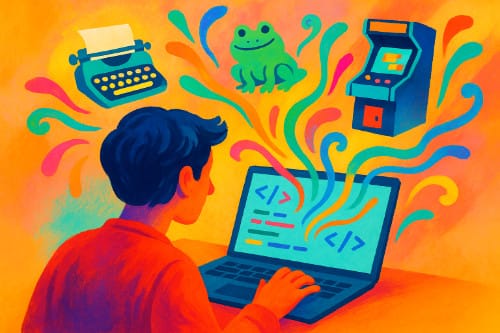
Most folks picture coding as typing inscrutable symbols at 2 a.m., praying the error goes away. Vibe coding offers a friendlier path. Instead of wrestling with syntax, you describe the feel of what you want—“cozy recipe site,” “retro arcade vibe,” “calm portfolio gallery”—and an AI coding assistant drafts the code. You steer with words, not semicolons.
It feels like jazz improvisation rather than marching-band precision. You hum the tune, the system riffs, and together you find something that works.
What exactly is vibe coding?
Traditional programming demands exact instructions. Misspell “color” in CSS and the styles vanish. Vibe coding flips that expectation. You set intent and tone in natural language and let an AI model generate the scaffolding—HTML, CSS, JavaScript, even backend stubs. You don’t memorize every rule; you curate the experience.
Example prompts a creator might use:
- “Make me a minimalist landing page with soft earth tones, large headings, and a gentle fade‑in on scroll.”
- “Design a playful to‑do app with hand‑drawn icons and a doodle notebook feel.”
- “Build a one‑screen arcade game where a frog hops across floating pizza slices.”
If the first result isn’t quite right, you iterate conversationally: “Make it warmer,” “simplify the layout,” “use a typewriter font,” “slower animation.”
Why creatives and retirees love it
Vibe coding lowers the barrier between idea and execution. If you can describe a mood, you can prototype a site or app. That’s huge for artists, writers, gardeners, cooks, and curious retirees who have projects in mind but don’t want to wade through arcane tutorials. It turns software creation into something closer to sketching: quick, expressive, and forgiving.
A tiny anecdote: the first time I tried vibe coding a recipe card, I typed, “Give me a farmhouse kitchen vibe with wood textures and big photo slots.” The AI delivered a working layout in seconds. I nudged it—“larger headings,” “cream background,” “add a whisk icon to the search bar”—and the page snapped into place. No CSS rabbit holes, no plugin tangles.
How it works in practice
Think of a three‑step loop:
- Describe the outcome
Explain the feel, audience, and basic features: “A gallery portfolio for a mixed‑media artist, moody lighting, grid layout, lightweight animations, and an about section.” - Let the AI draft the code
The assistant produces structured files. Many tools can also scaffold assets, placeholders, and simple interactions. - Refine by vibe
You nudge the tone rather than micromanage hex codes: “More airy,” “less shadow,” “rounded corners,” “slower scroll.” The AI regenerates targeted parts of the code.
A 10‑minute vibe‑coded mini‑project (try this)
Goal: A single‑page “digital zine” for a weekend workshop.
Prompt 1:
“Create a one‑page site called ‘Saturday Zine Lab.’ Friendly, zine‑like typography, off‑white background, wide margins, and a collage feel. Include three sections: About, Schedule, and What to Bring. Add subtle paper texture, large headings, and a footer with contact links.”
Prompt 2 (tweak the feel):
“Make the headings chunkier, add a gentle hover wiggle on links, and use a simple grid for the Schedule with times on the left. Keep the performance light.”
Prompt 3 (final polish):
“Improve readability with 18px body text and 1.6 line height. Increase contrast slightly, and add a tiny torn‑paper divider between sections.”
Load the result and you’ve got a charming page ready for real content, assembled by describing the mood.
Why vibe coding is trending now
- Better AI models: Modern coding assistants interpret fuzzy language far more reliably than earlier tools. They can bridge the gap between intention and implementation.
- A hunger for playful creation: After years of “AI for spreadsheets,” people want tools that feel like paintbrushes. Vibe coding rewards curiosity.
Upsides you’ll notice
- Accessibility: You can build without mastering syntax. A good prompt becomes your design brief.
- Speed: Prototypes move from idea to screen in minutes, which is perfect for testing concepts.
- Creative flow: You stay in the “what it should feel like” headspace, instead of context‑switching into error logs.
Trade‑offs to consider
- Hidden complexity: Generated code may be messy or heavier than necessary. Great for personal projects, not always ideal for long‑term maintenance.
- Black‑box risk: If you don’t inspect the output, you might ship inefficiencies or minor security issues.
- Skill dilution: If you rely entirely on vibe, your debugging muscles won’t grow. A healthy balance helps—treat the AI as a collaborator, not a crutch.
Practical safeguards
- Ask for clarity: “Use semantic HTML,” “limit external dependencies,” “explain unusual code choices in comments.”
- Keep it small: Favor lean components and minimal libraries.
- Inspect once: Glance through the output, especially forms, scripts, and any place user input is handled.
- Version control: Save each iteration, so you can roll back if a regeneration goes sideways.
No‑code vs vibe coding
No‑code platforms give you templates and drag‑and‑drop building blocks. Vibe coding generates original scaffolds from your description. The difference feels like choosing from a menu versus asking a chef to make something that matches your taste. Both are useful; vibe coding just offers more room to invent.
Where this could go next
- Personal memoir sites: “Scrapbook style, Polaroid frames, large pull quotes, gentle page turns.”
- Art portfolios: “Gallery feel, spotlighted images, keyboard navigation, minimal chrome.”
- Micro‑business pages: “Simple services page, friendly pricing cards, contact form, warm colors, accessible and fast.”
- Playful experiments: “Underwater jazz‑club website”—because creativity grows when you let yourself play.
The bigger picture
Vibe coding doesn’t replace engineering; it widens the on‑ramp. Professionals will still refine, optimize, and secure systems. But more people will finally ship the projects they’ve imagined for years. That’s a cultural shift: from “I wish I could build that” to “I can try this today.”
If the internet’s first phase rewarded precision, the next phase might reward intention. When you can tell a computer how something should feel, you free up energy for ideas—and that’s where the fun begins.